Uninstalling Arrows from HubSpot
A guide to uninstall the Arrows application from your HubSpot account after you have authenticated the two
The following steps will walk you through uninstalling the Arrows app from your HubSpot account.
If you need any assistance, feel free to contact us at help@arrows.to
Please share any feedback that led to the decision, we’d greatly appreciate it as it helps us learn what to improve!
1. Open HubSpot settings
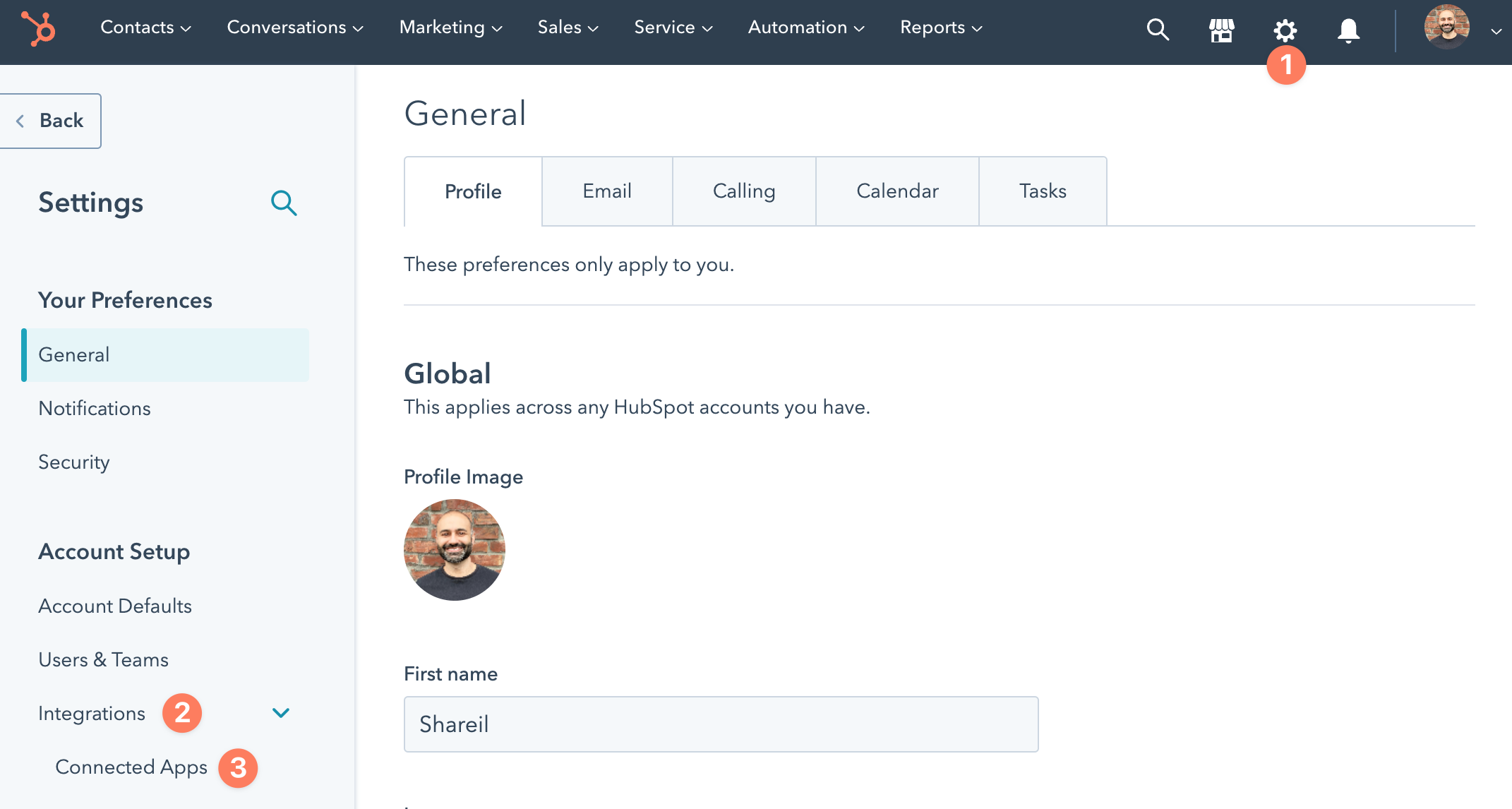
From your HubSpot menu bar…
open the Settings page by clicking the gear icon
expand Integrations section
select Connected Apps
2. Locate the Arrows app
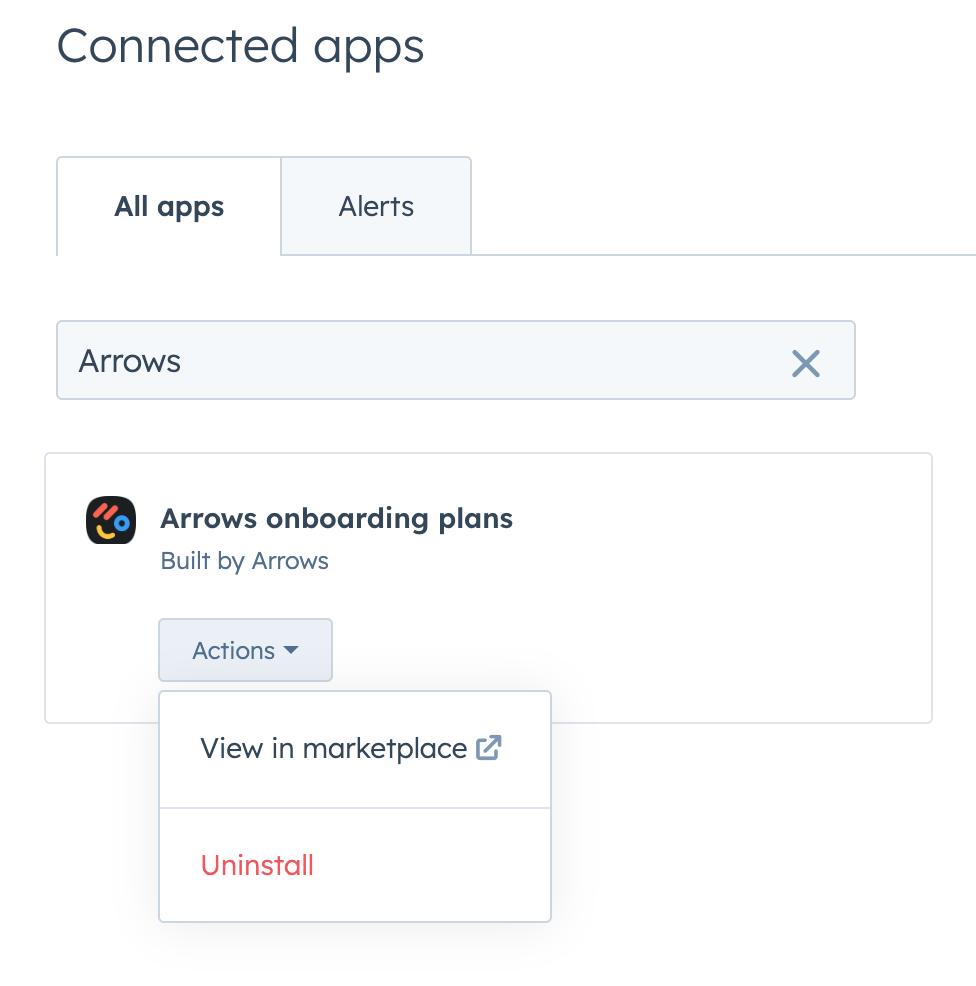
From the Connected Apps page, search for the Arrows onboarding plans app.
expand the Actions dropdown menu
select Uninstall
3. Confirm the uninstall
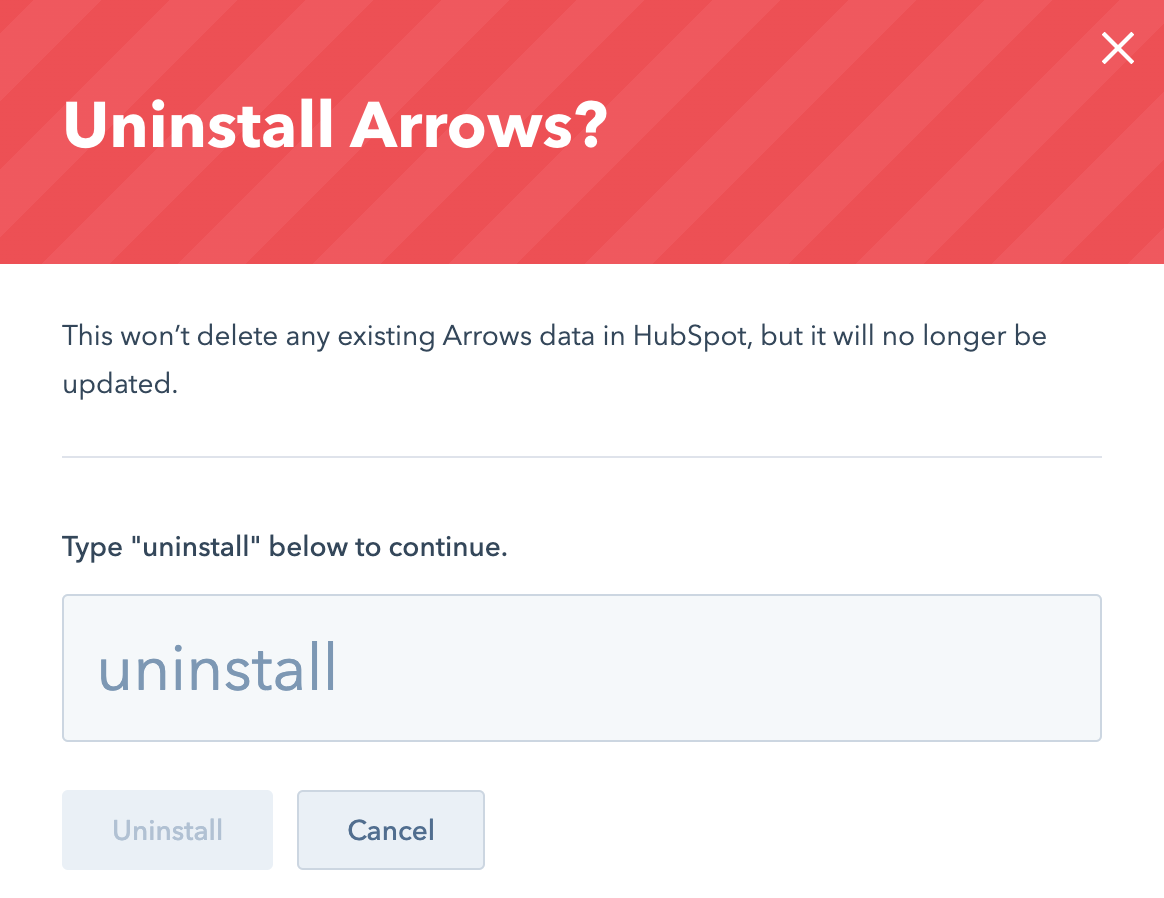
You’ll be asked to confirm the uninstall action. This (or a similar) screen will appear for you to proceed. Type the word “uninstall” and click Uninstall to finish the process.
On the following screen you’ll be asked to provide a reason for uninstalling the app. Any feedback will help us learn and is appreciated!