
Embed task actions to speed up task completion
Embedding content into your mutual action plans can make it easier for your participants to get tasks done.
Embedding content into your mutual action plans can make it easier for your participants to get tasks done without needing to leave the plan itself!
The fewer places you need to send a customer to complete a task, the more likely they are to actually complete it.
Getting started with embedding content
Embedding content into a task adds visual appeal to your plans AND lets your participants engage with your content directly from the plan itself.
There are select task actions that support embedding content, let’s look at an example of each.
Note: you can select 1 action type per task.
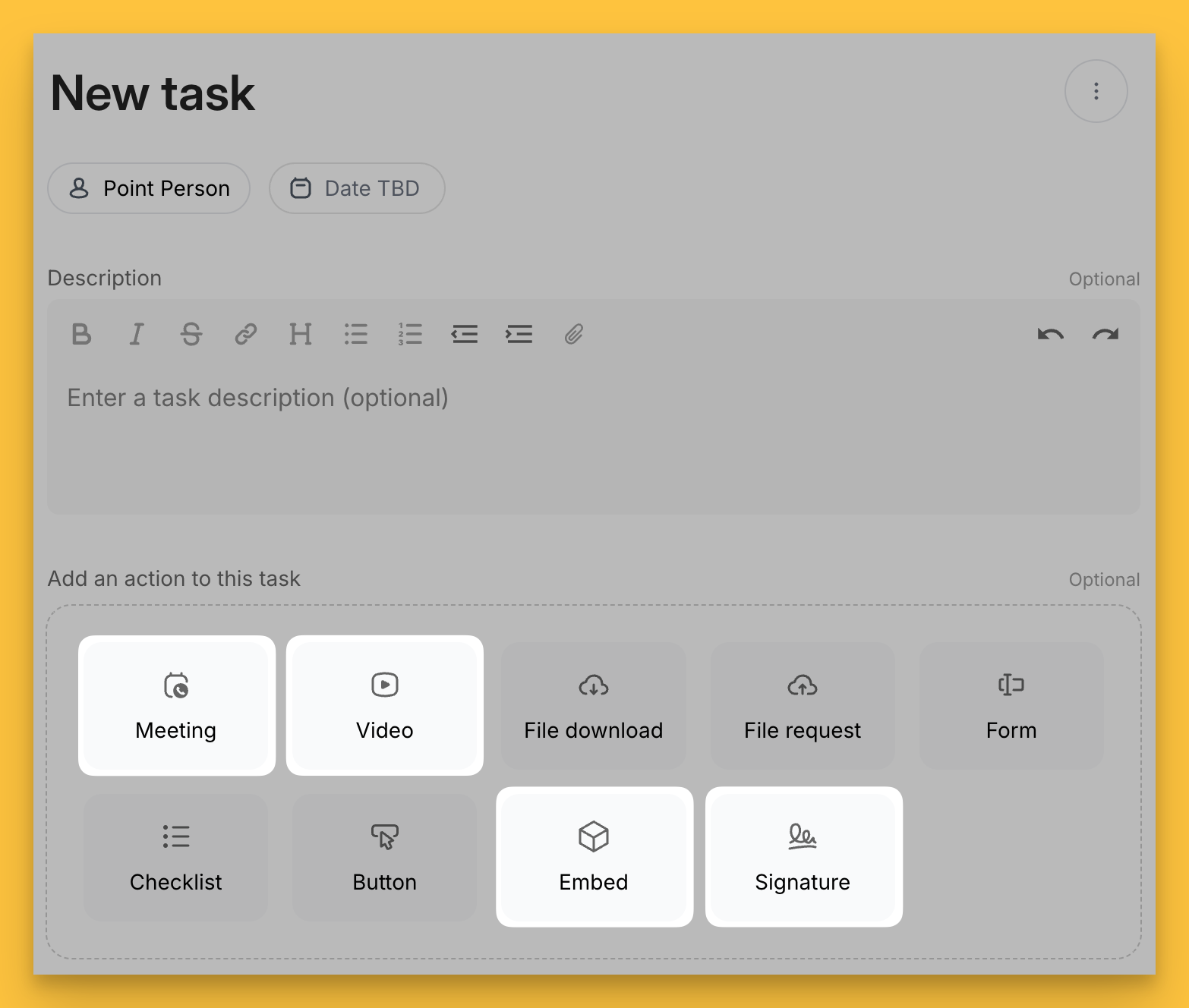
Embed a video
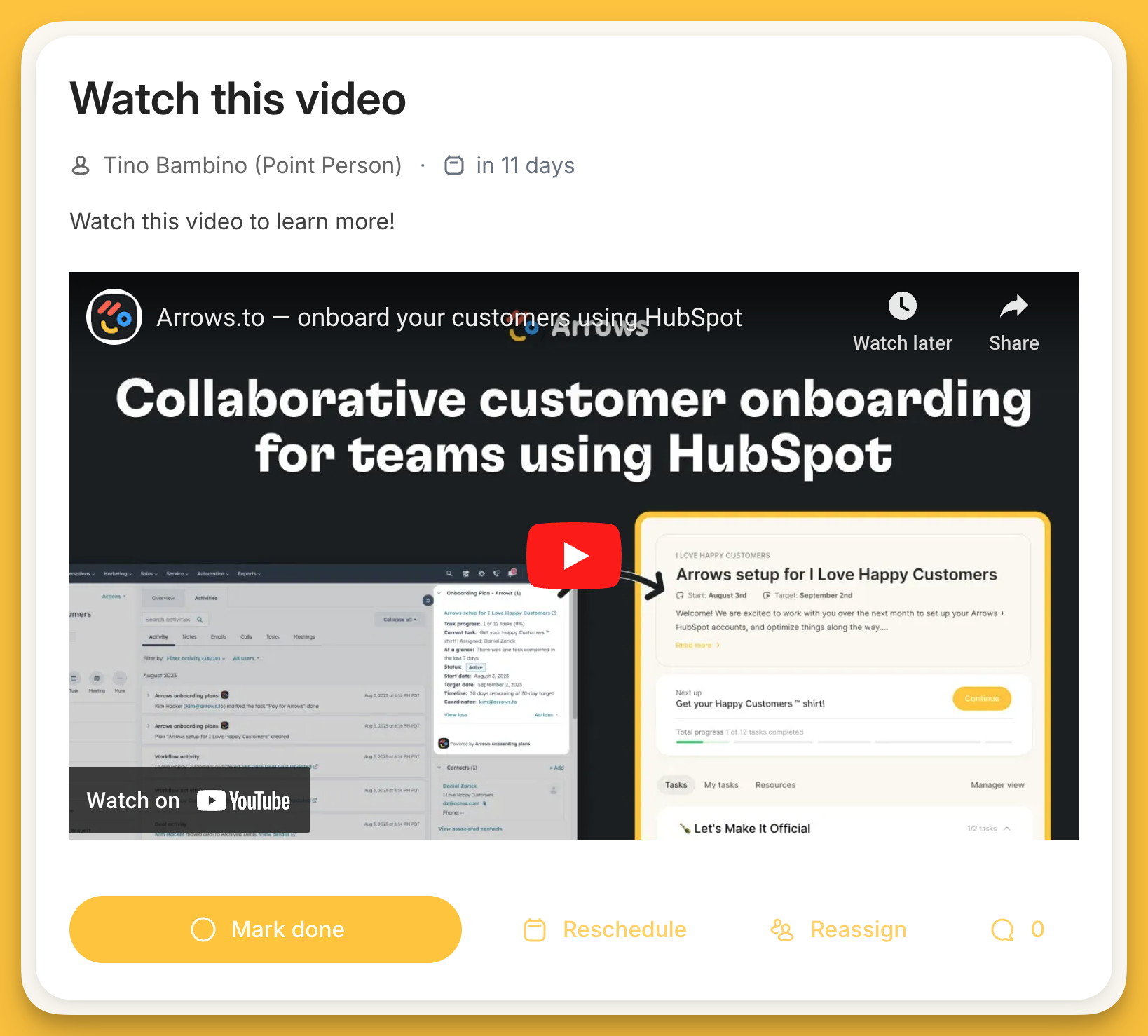
Customers will be able to play this video without having to leave the plan itself.
Instructional videos for explaining the more complex parts of your process or product are a fantastic use for videos within a plan!
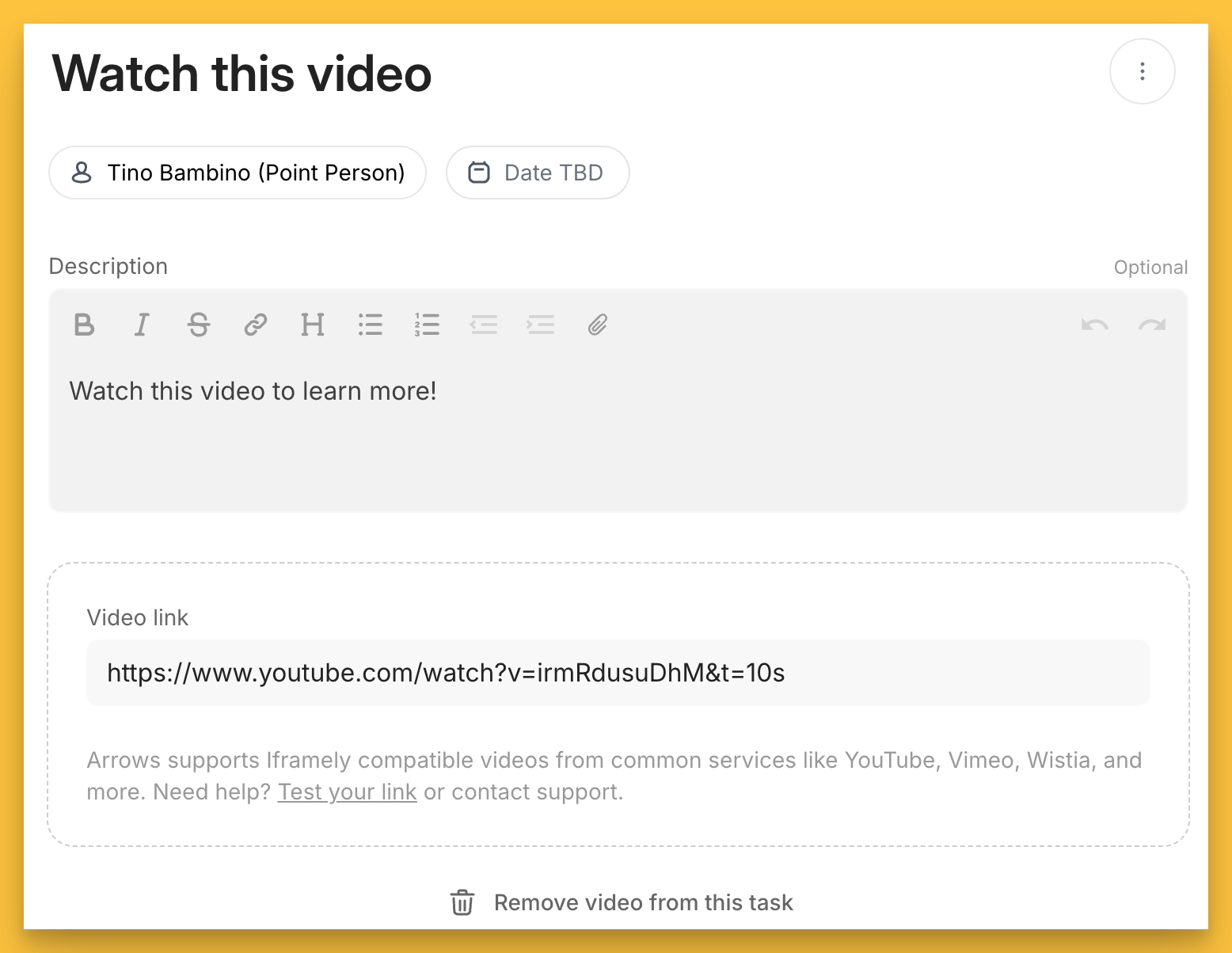
Setup view:
select the Video task action
paste the link to your video
Customer view:
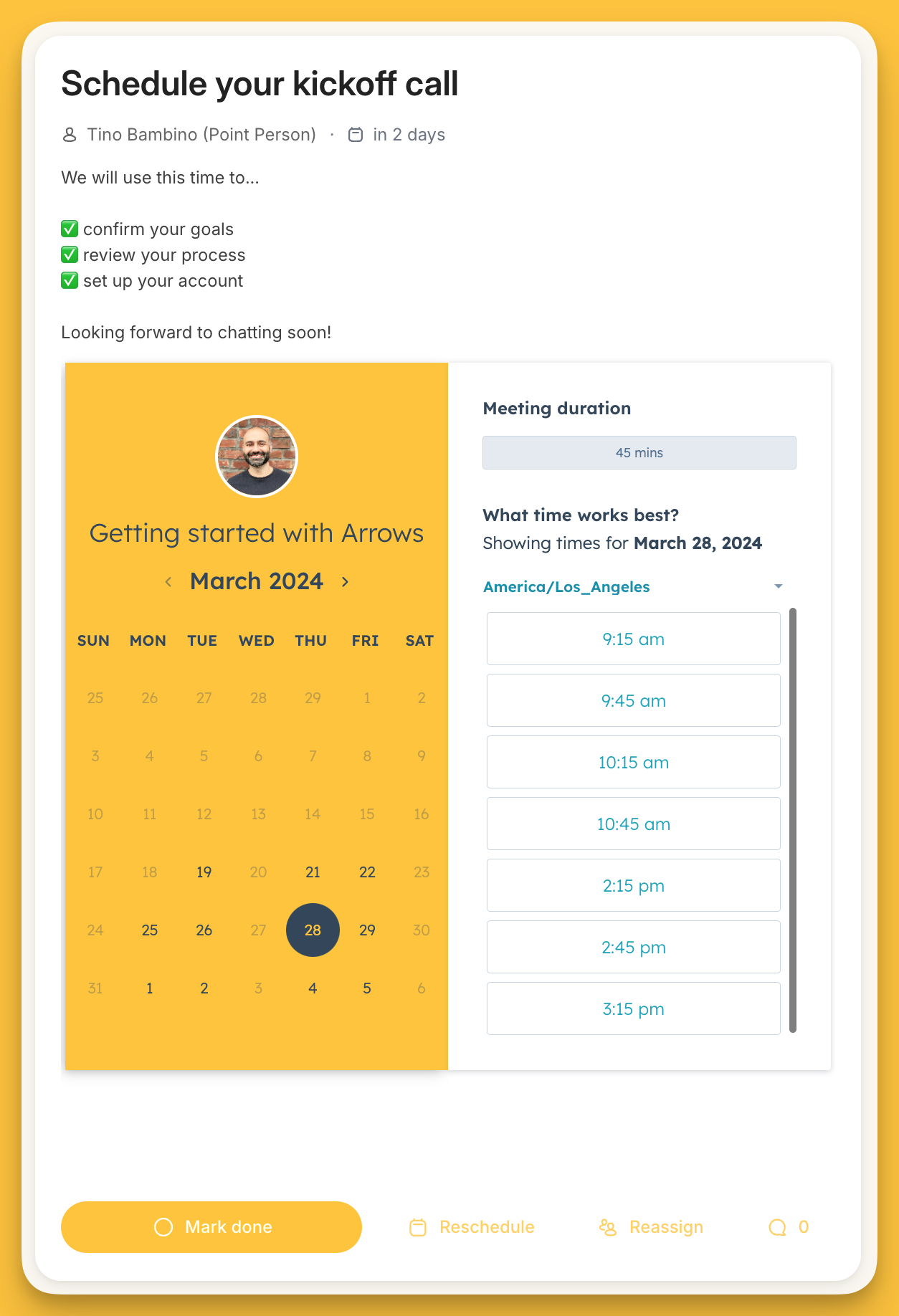
Embed a scheduling calendar
Embedding a scheduling calendar into a task is a great way to speed up the process of getting participants to book time with you.
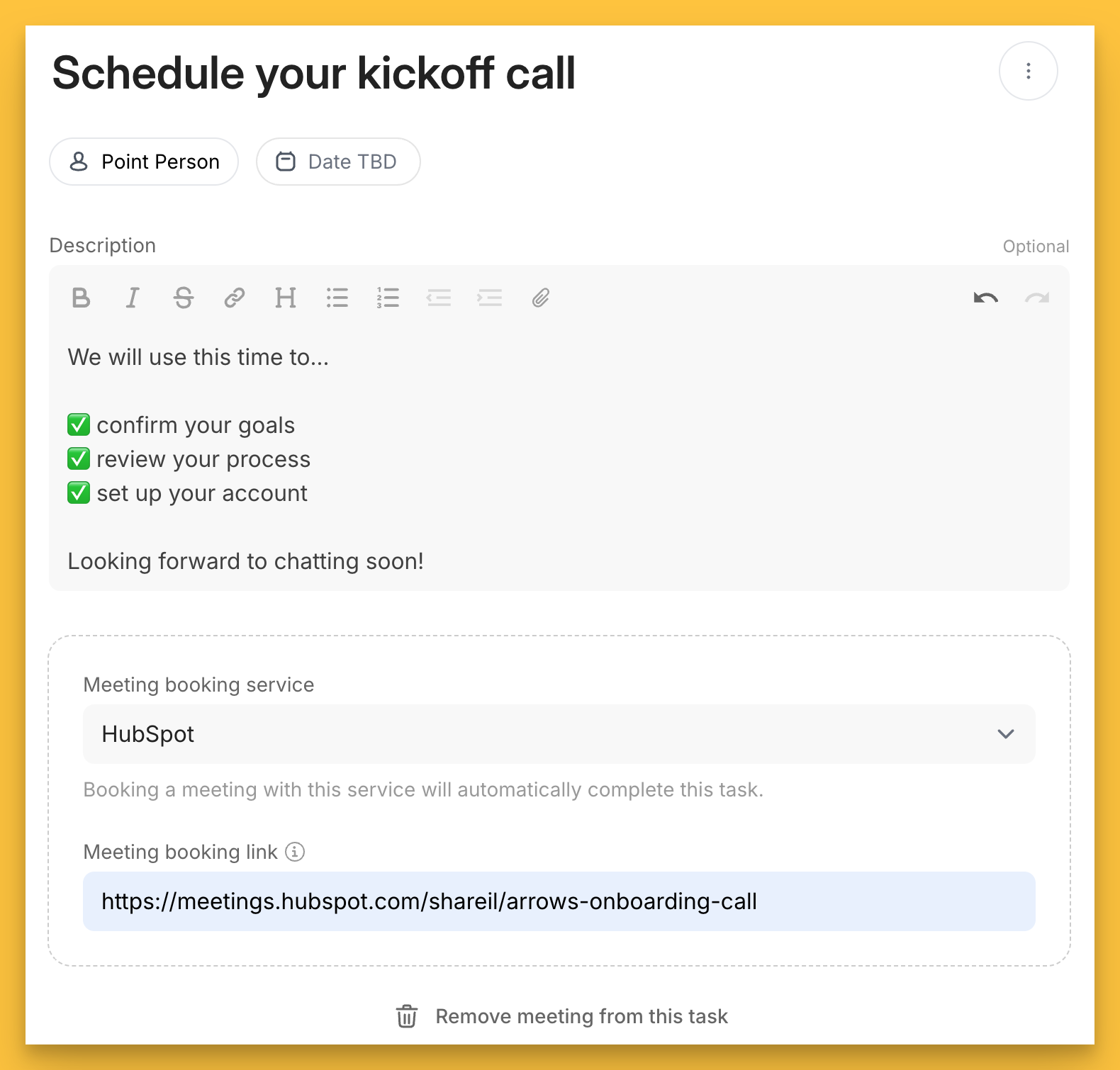
In this example below, you’ll see a HubSpot Meeting link embedded into a task to schedule a kickoff call.
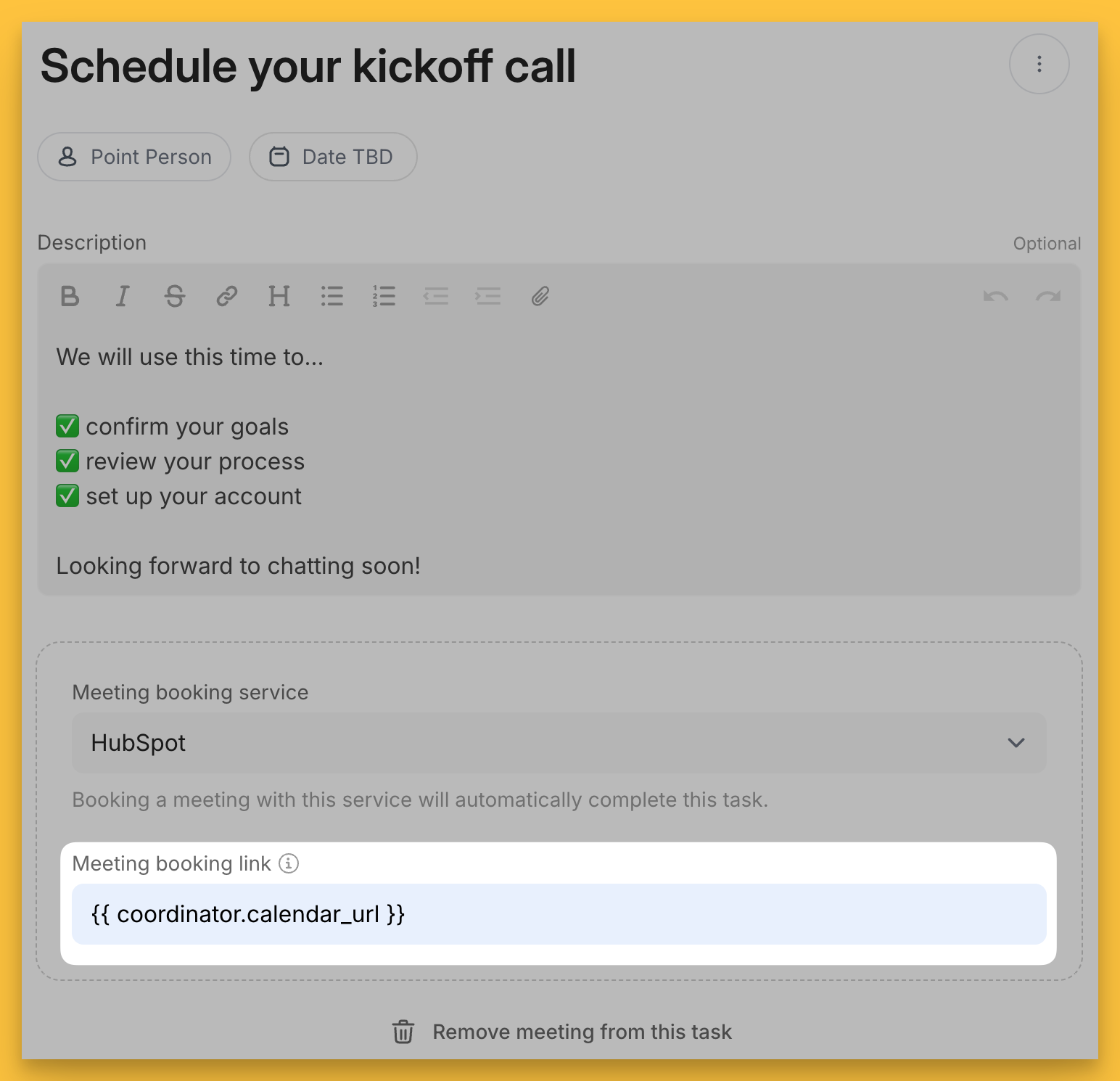
Setup view:
select the Meeting task action
select your meeting booking service from the dropdown menu
add your meeting link
Customer view:
Your customer will be able to see your availability and schedule a meeting without needing to leave their onboarding plan!
💘
You can setup your scheduling tasks to dynamically display a different calendar based on whover the plan coordinator is! Instead of pasting a direct calendar link into the link field, paste this token instead {{ coordinator.calendar_url }}
Then update your personal settings in Arrows with your direct calendar link here - https://app.arrows.to/settings/user
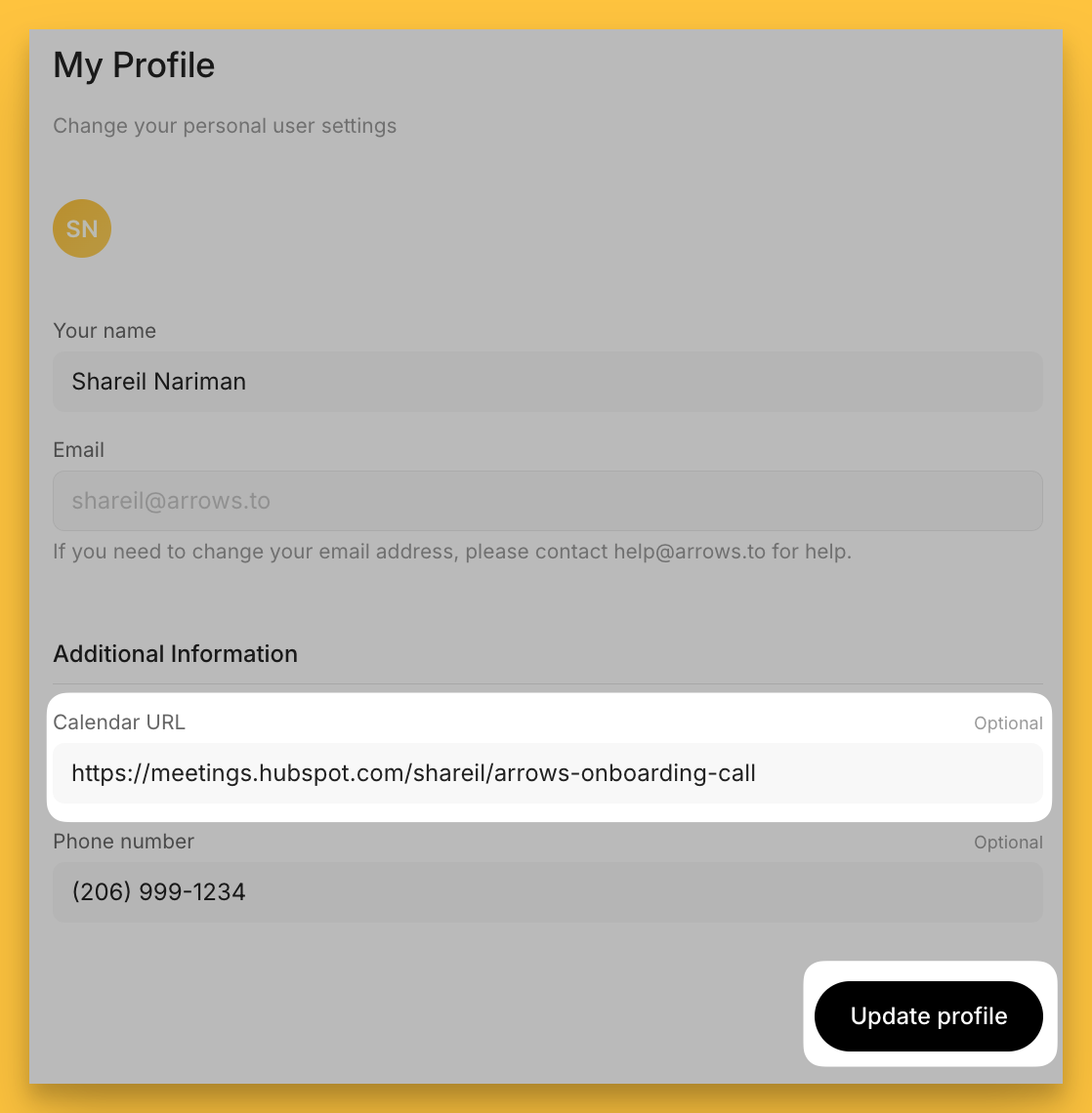
Now your plans will automatically show the right calendar for whoever the plan coordinator is!
Embed a 3rd-party form (or other embeddable content)
Arrows has built in forms that can be synced directly to a HubSpot Deal or Ticket.
But you can also embed 3rd-party forms directly into tasks to capture information.
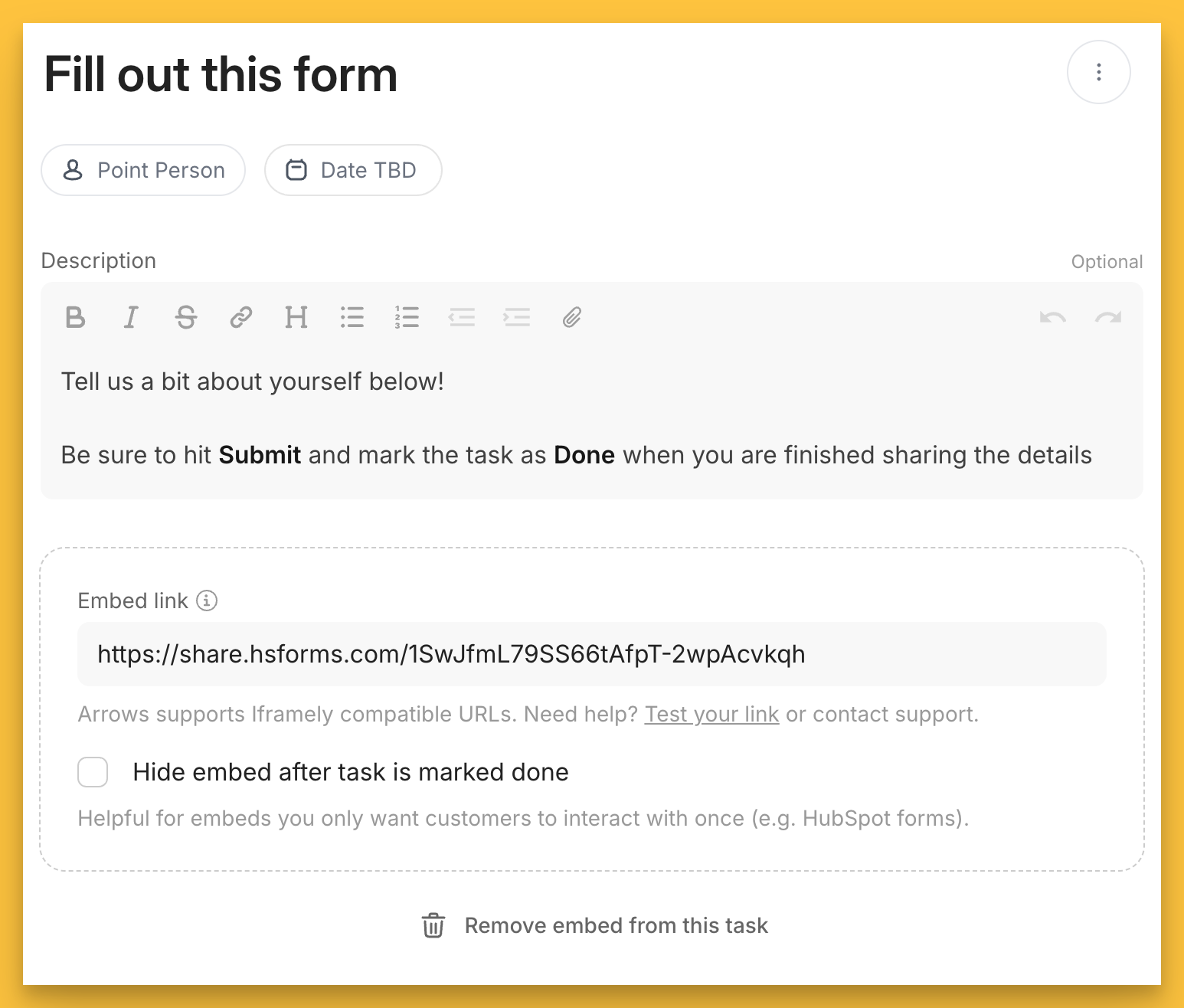
In this example, there is a HubSpot form embedded. Once a participant fills out the form, that information is sent directly to HubSpot, reducing the need to duplicate work!
Setup view:
select the Embed task action
enter your form link
optional - choose to hide the embed after the task is marked done if you only want customers to see the embedded material ONE time
Customer view:
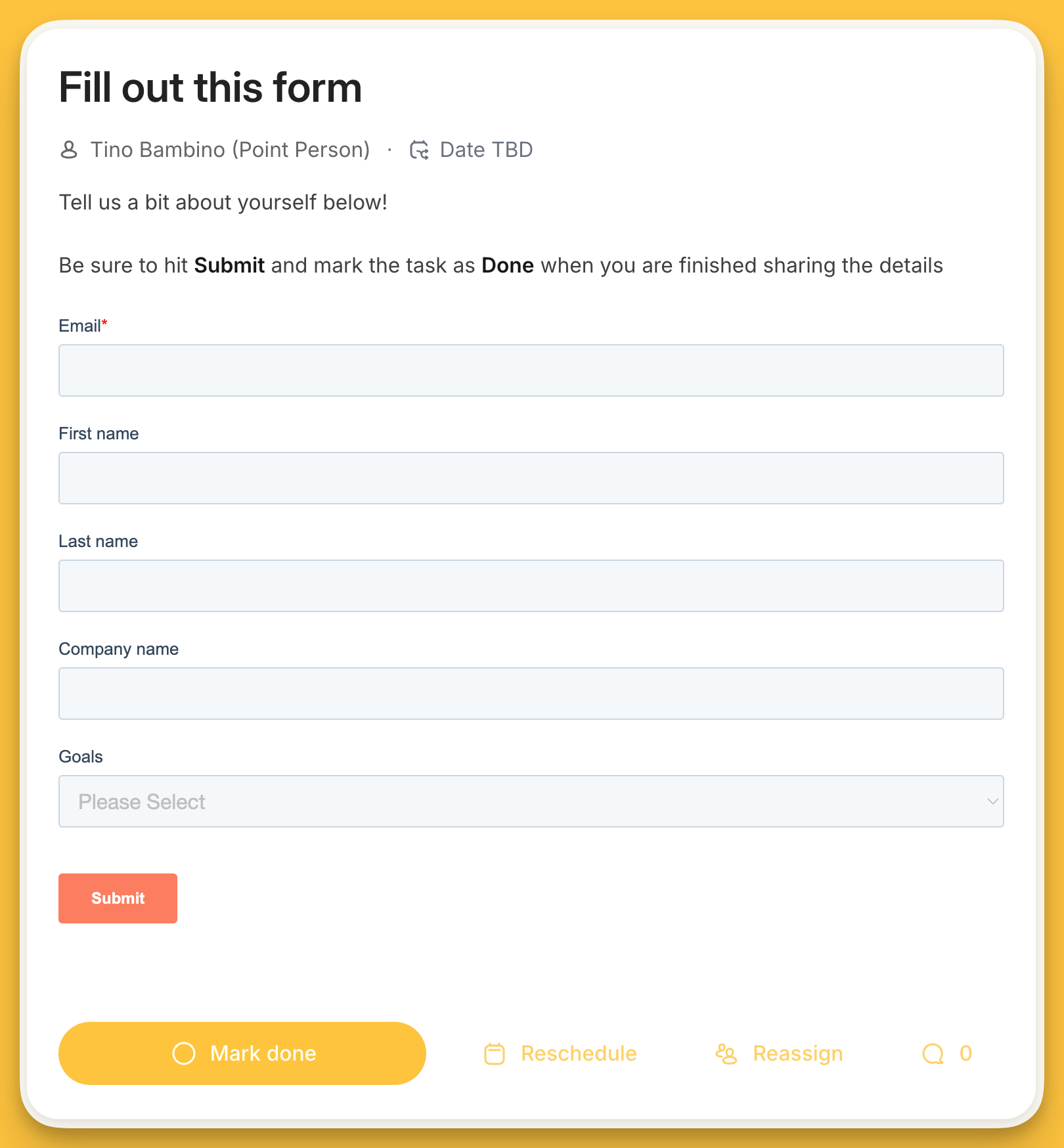
💘
You can use the embed task action to embed other embeddable content as well, 3rd-party forms are just one example!
Embed a interactive quote
You can embed interactive e-signature quotes to allow customers to review and sign them directly without leaving their onboarding plans!
These e-signature services are supported today:
PandaDocs
HubSpot Quote
DocuSign PowerForm
Adobe Sign Web Form
In the example below, we’ll embed a HubSpot Quote…
Setup view:
select the Signature task action
select your E-signature service type
paste the link to your quote
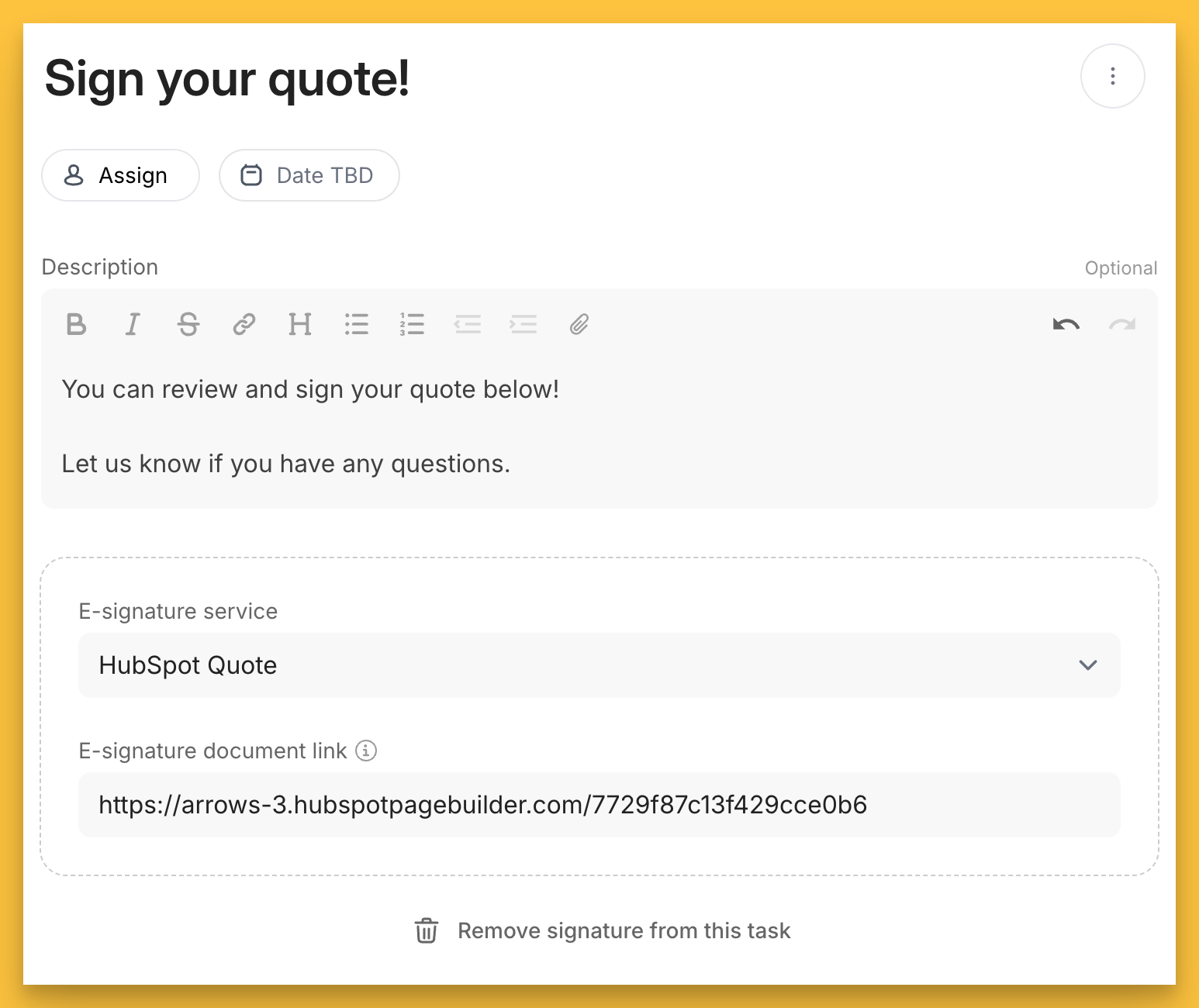
Customer view:
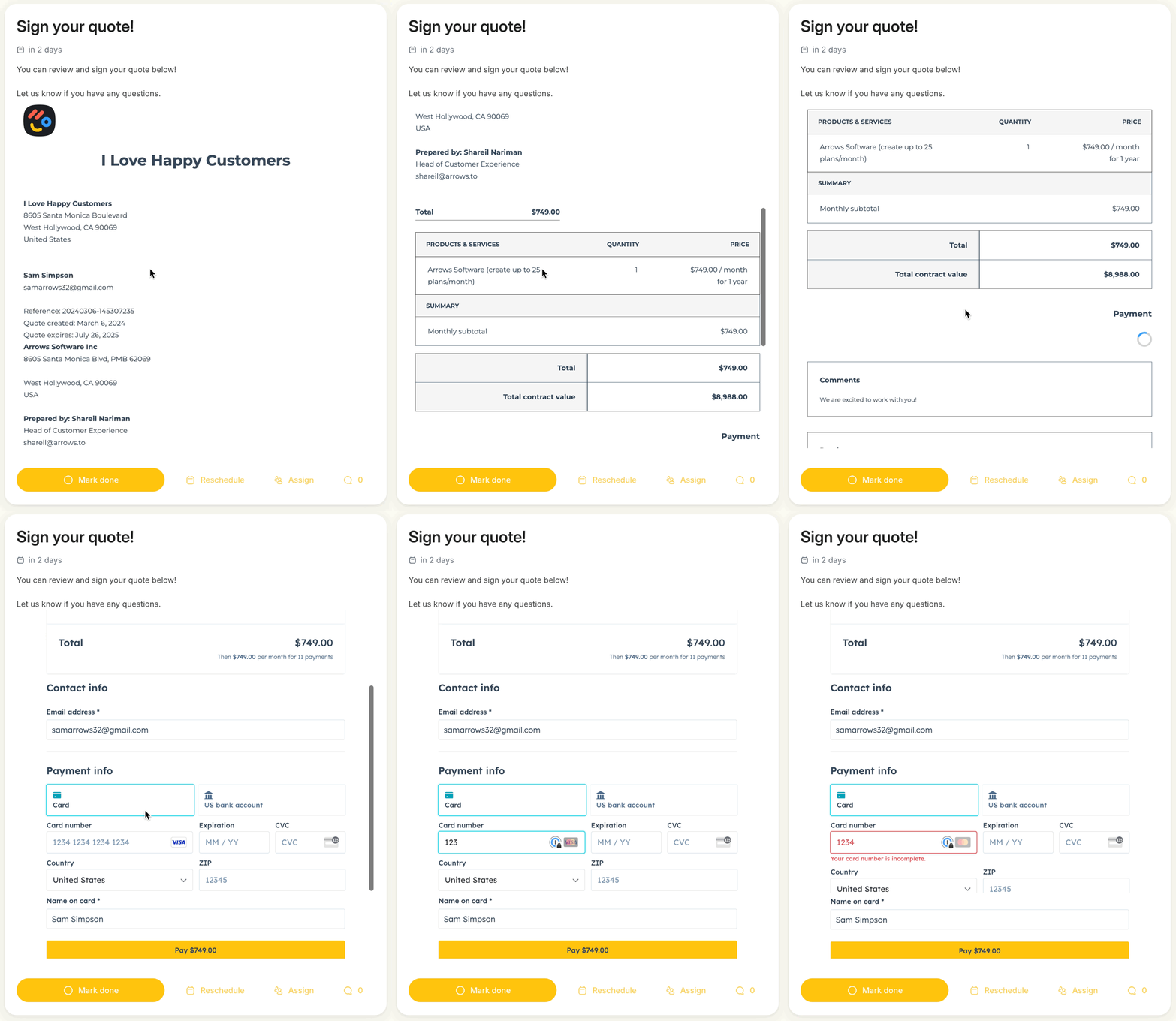
Let us know what unique use-cases you discover for embedding content directly into plans or if you get stuck along the way, we are here to help!