
Creating and using custom roles
Custom roles allow you to add placeholders to templates and plans so you can automatically assign tasks to those responsible individuals without all of the manual work to assign each task.
Assigning tasks to the responsible person is critical to the success of any onboarding plan.
Simply put, the right person needs to know what to do.
Custom roles allow you to pre-define placeholders for members of your team and your customer’s team.
Tasks on your templates can be pre-assigned to specific roles. When you create a plan, you’ll be able to place participants into those pre-defined roles, and all of those tasks will quickly be assigned to the right person.
If you re-assign someone else to that role, all of the tasks will be re-assigned to the new person.
This saves you time and ensures the right person knows their part in the process!
Let’s look at how to use custom roles…
Adding new roles
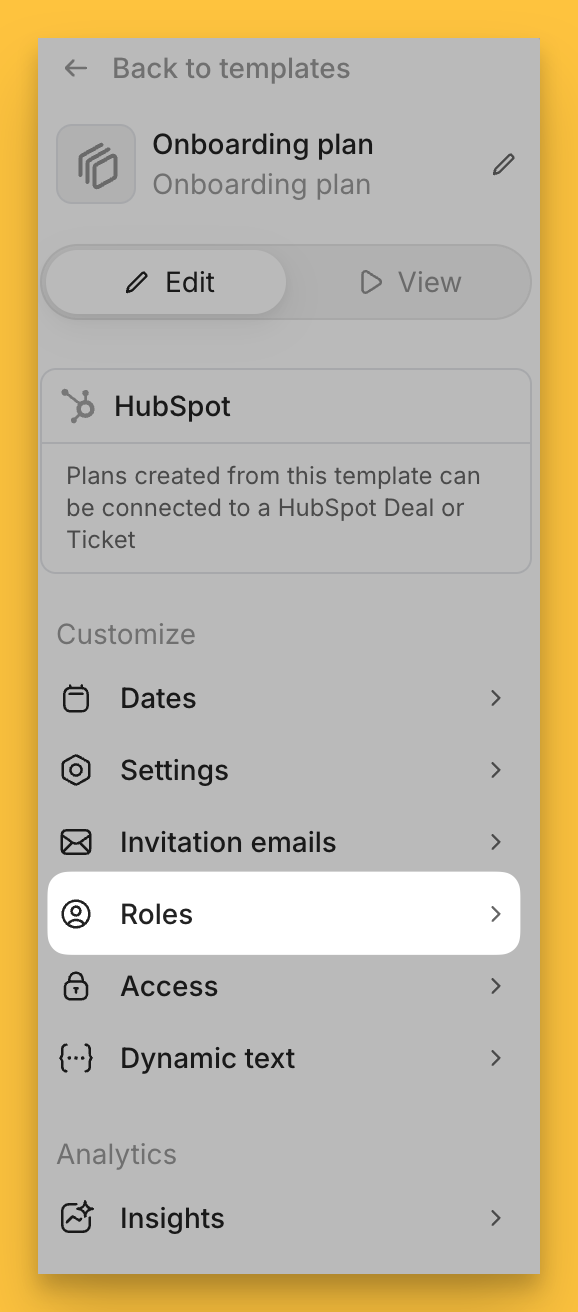
When editing a template, open the Roles drawer to add new roles.
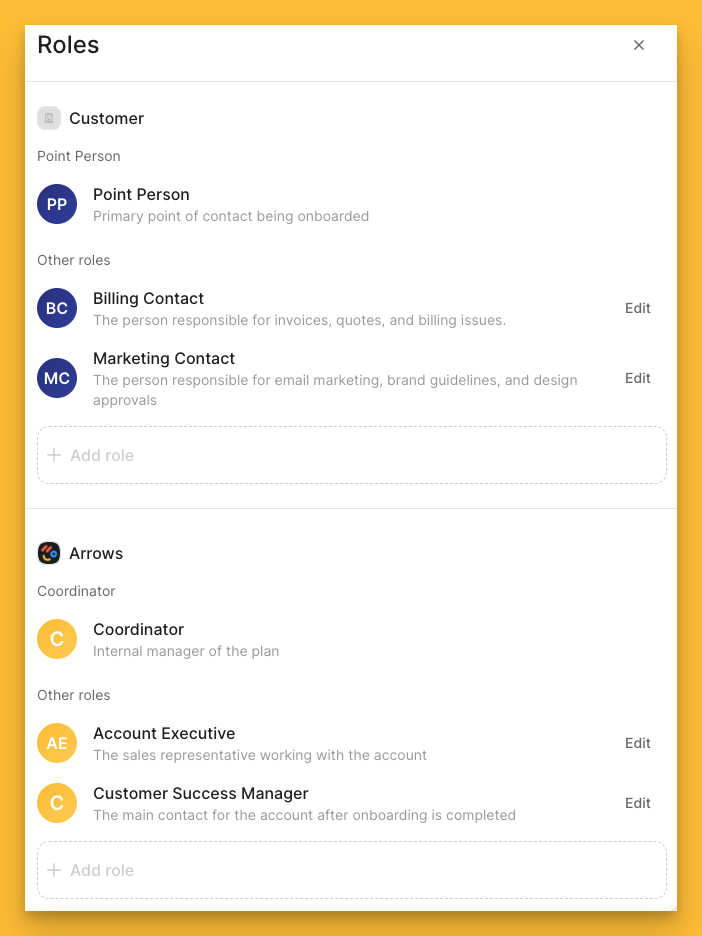
You’ll see Point Person and Coordinator as defaults for primary contacts.
Select + Add role to add additional roles, along with a description for each.
In this example, we’ve added a Billing Contact and a Marketing Contact to the customer side of the house.
And we’ve added Account Executive and Customer Success Manager to our internal team.
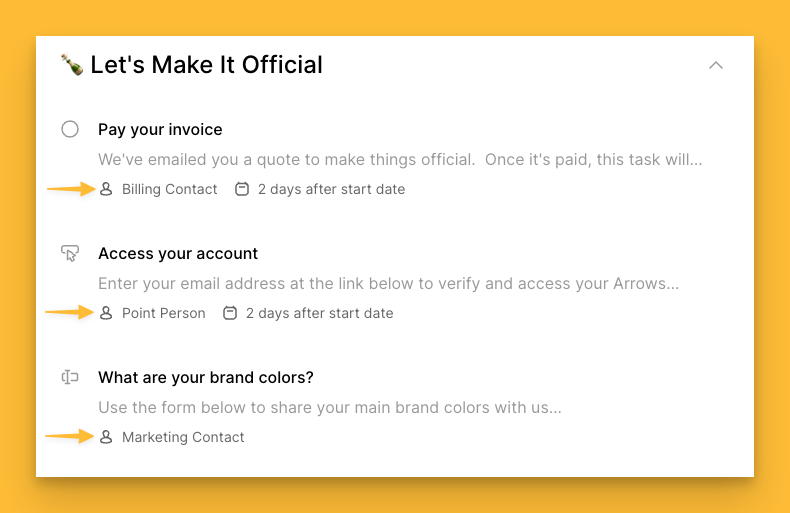
Now that roles are created, you can pre-assign certain tasks to these newly created roles when editing your templates!
The template overview will display the role the task is assigned to…
Adding participants into their respective role
Once you’ve created a plan, you’ll be able to indicate which participant is responsible for each role in your process - just drag and drop the participant into their respective role!
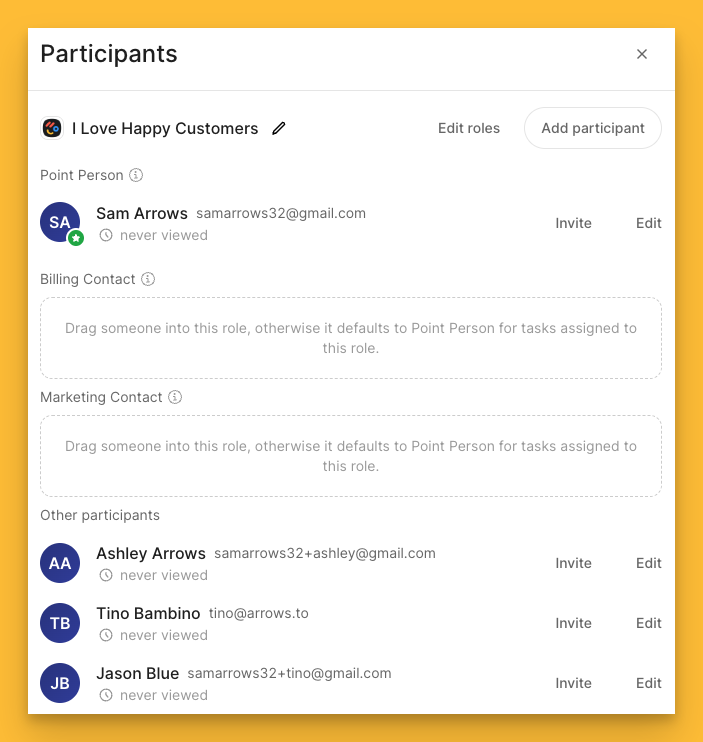
In this case, Ashley Arrows is the billing contact and Tino Bambino is the Marketing Contact…
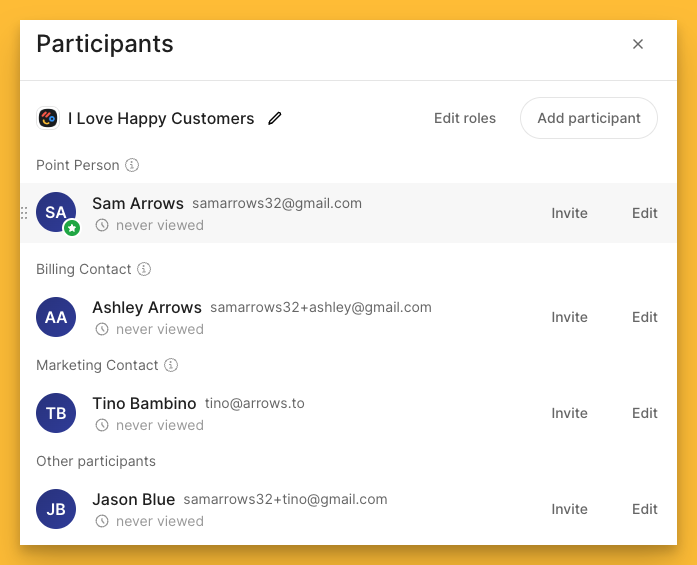
The plan overview will automatically update to show the name of the participant assigned to those specific tasks!
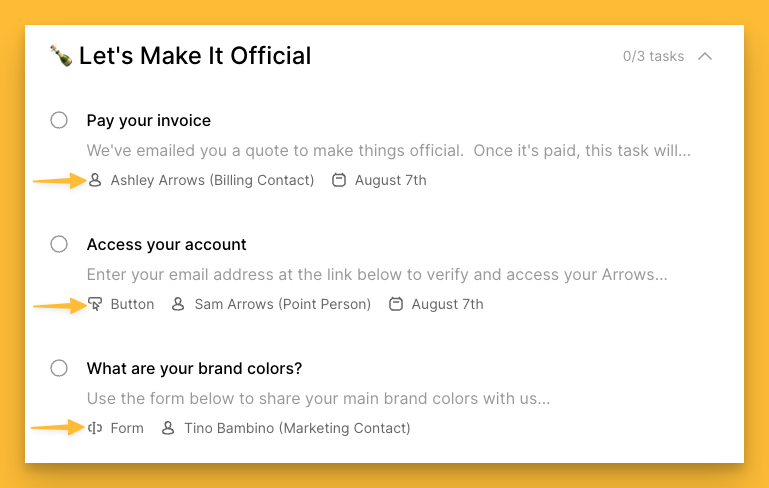
Custom roles allow you to ensure everyone is assigned the tasks they are responsible for without you needing to spend time manually assigning each task!