
Using Dynamic Text
Dynamic text allows you to automatically insert specific values into your Arrows plans based on data from HubSpot or Arrows itself.
This feature helps you automate personalization for your plans, saving time and reducing the potential for human error.
Dynamic text automatically updates based on information from your CRM or Arrows.
When you create a plan, these variables populate with information specific to that customer or coordinator. For example, using {{ customer.name }} in a template will automatically show the actual customer's company name in the plan.
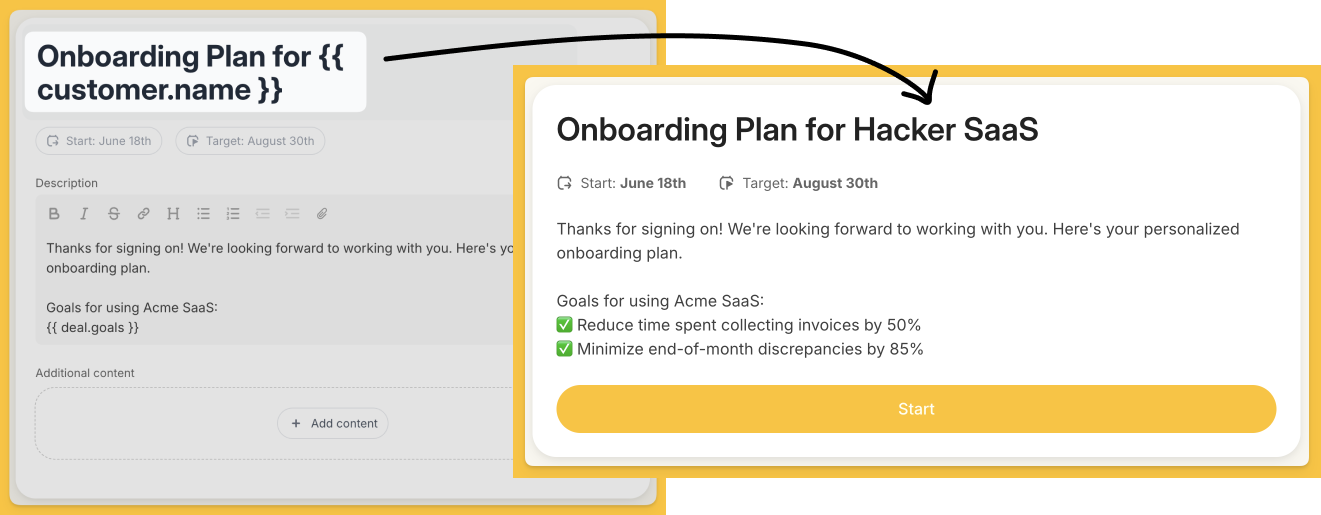
Where can dynamic text be used?
You can use dynamic text in plan names, phase names, and task names.
They can also be used in task descriptions and most task actions.
How to use dynamic text:
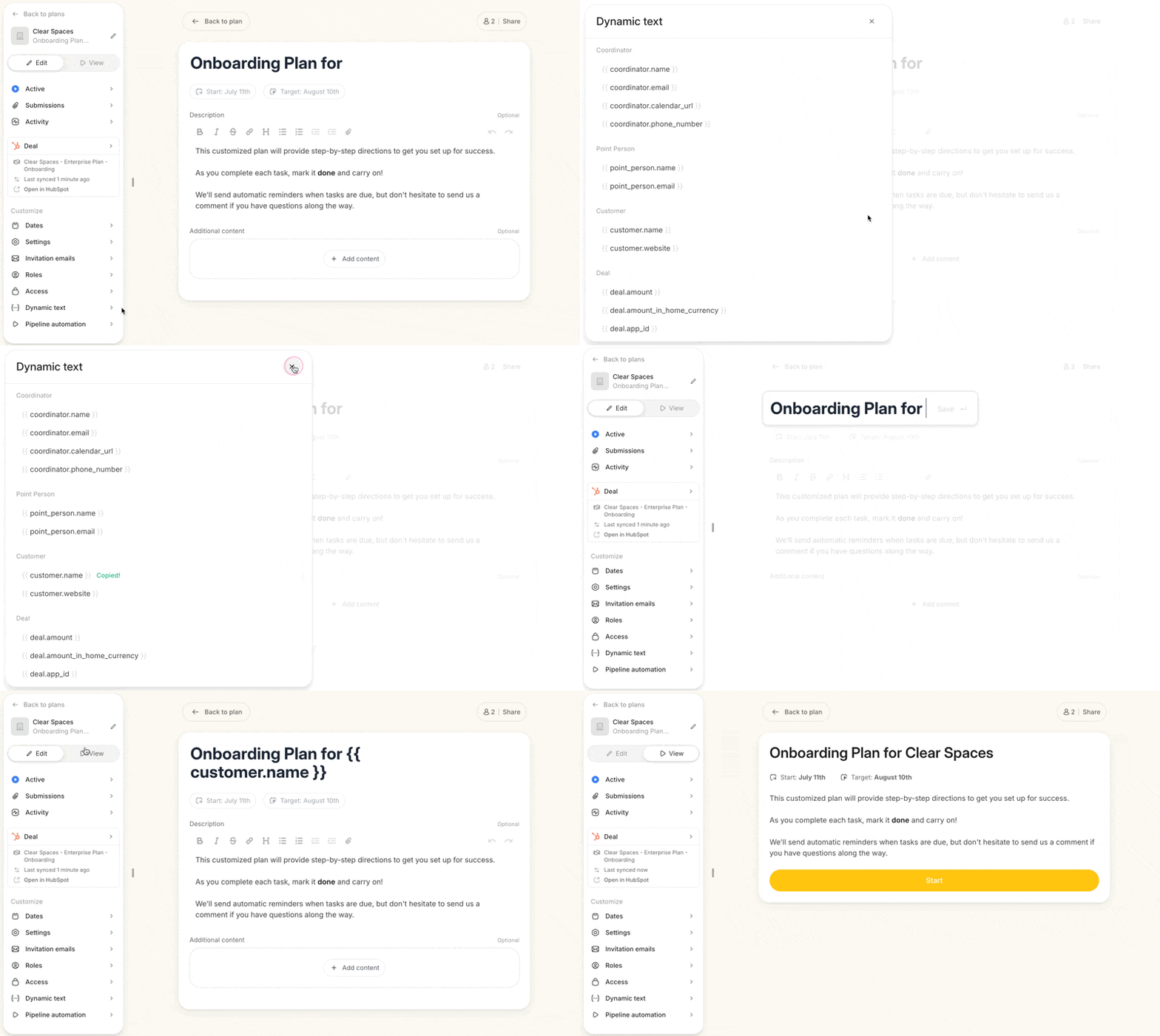
To add dynamic text to your plans, click on "Dynamic text" in the right sidebar of a plan or template.
You'll see a list of available variables.
Simply click the clipboard icon next to the desired variable to copy it, then paste it where you want it to appear in your plan.
The sky's really the limit with dynamic text, and there are tons of ways to use the properties your team is collecting in HubSpot.
Here are a few of our favorite ways to use dynamic text:
Automatically inserting coordinator calendar URLs
Displaying customer goals from HubSpot
Showing important dates, like go-live or renewal dates
Personalizing task descriptions with customer-specific information
Customizing welcome messages with company names or industry-specific details
Remember, you can use any HubSpot property data, so get creative in how you personalize your onboarding plans!
Pro tips for using dynamic text in Arrows:
Use the "Dynamic Text" tab in the Settings of any template or plan to see all available variables
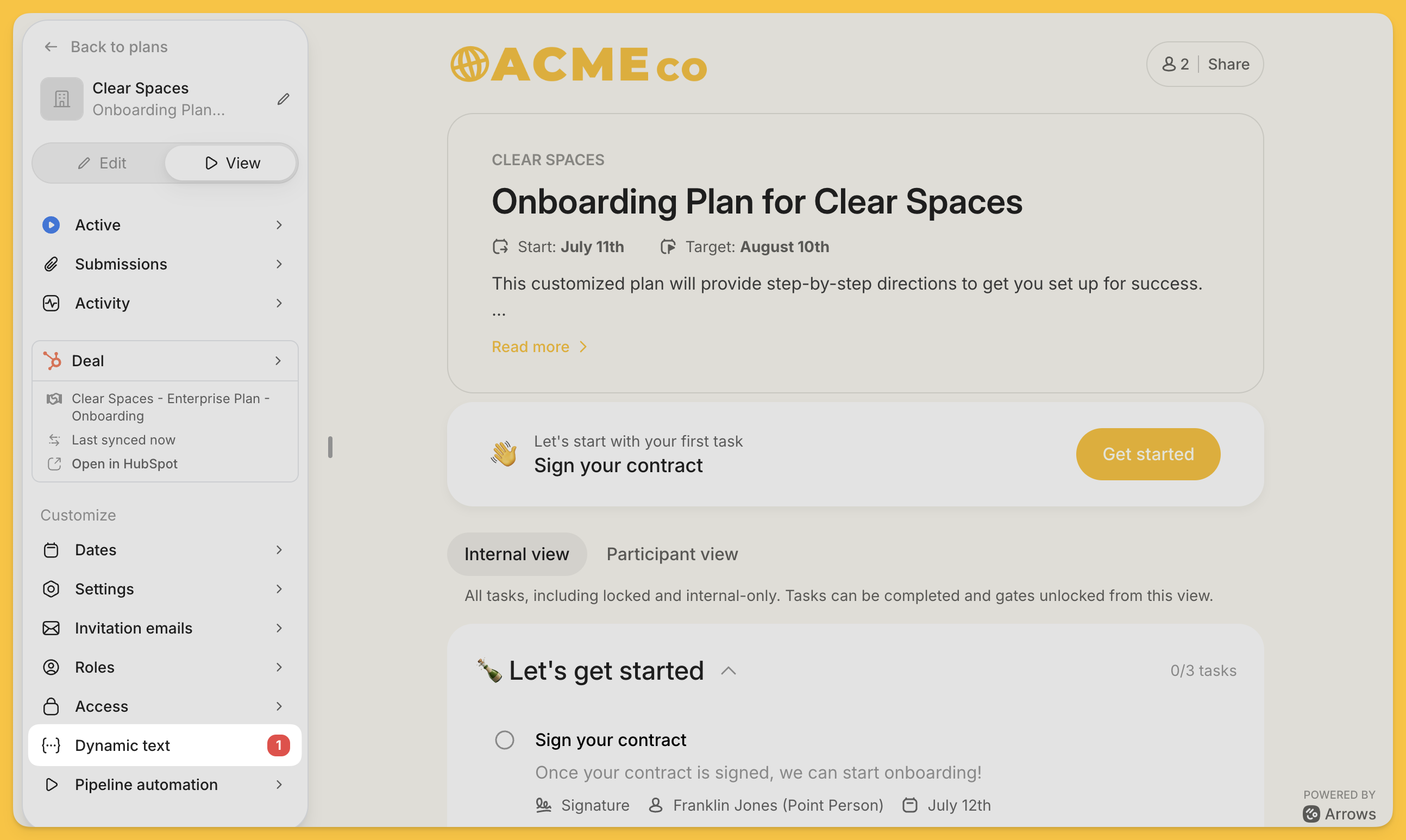
Ensure that the HubSpot properties or Arrows values you’re referencing with dynamic text are consistently filled out - if the property value is blank in HubSpot, it won’t show up in your Arrows plans
Pay attention to notifications in the plan navigation about missing values for used variables. Here’s where you’ll find those notifications:
By leveraging dynamic text, you can create more personalized and efficient onboarding plans, ultimately leading to a better experience for both your team and your customers.