
Connect sales rooms to HubSpot records
Learn how to connect Sales rooms to deals, tickets, services, projects and any custom objects in HubSpot.
Arrows sales rooms connect to deals, tickets, services, projects, and any custom objects in HubSpot.
This article covers how to enable these objects, choose which properties to sync, and what to expect once connected.
Once set up, sales rooms function exactly the same—AI suggestions, the HubSpot app cards, property syncing, notifications, and activity tracking all continue to work as expected.
How to connect Arrows to HubSpot objects
Go to the HubSpot Integration in Arrows
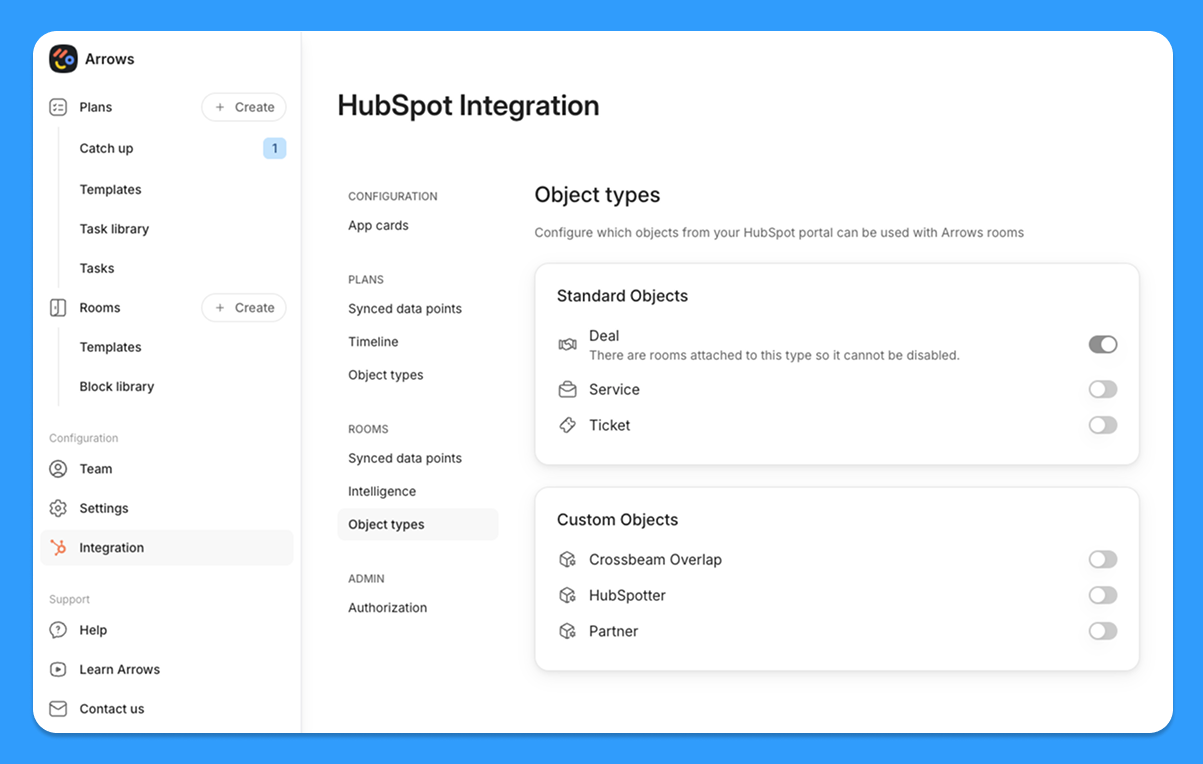
Under Rooms, select Object types
Choose the HubSpot object types you want to use with sales rooms
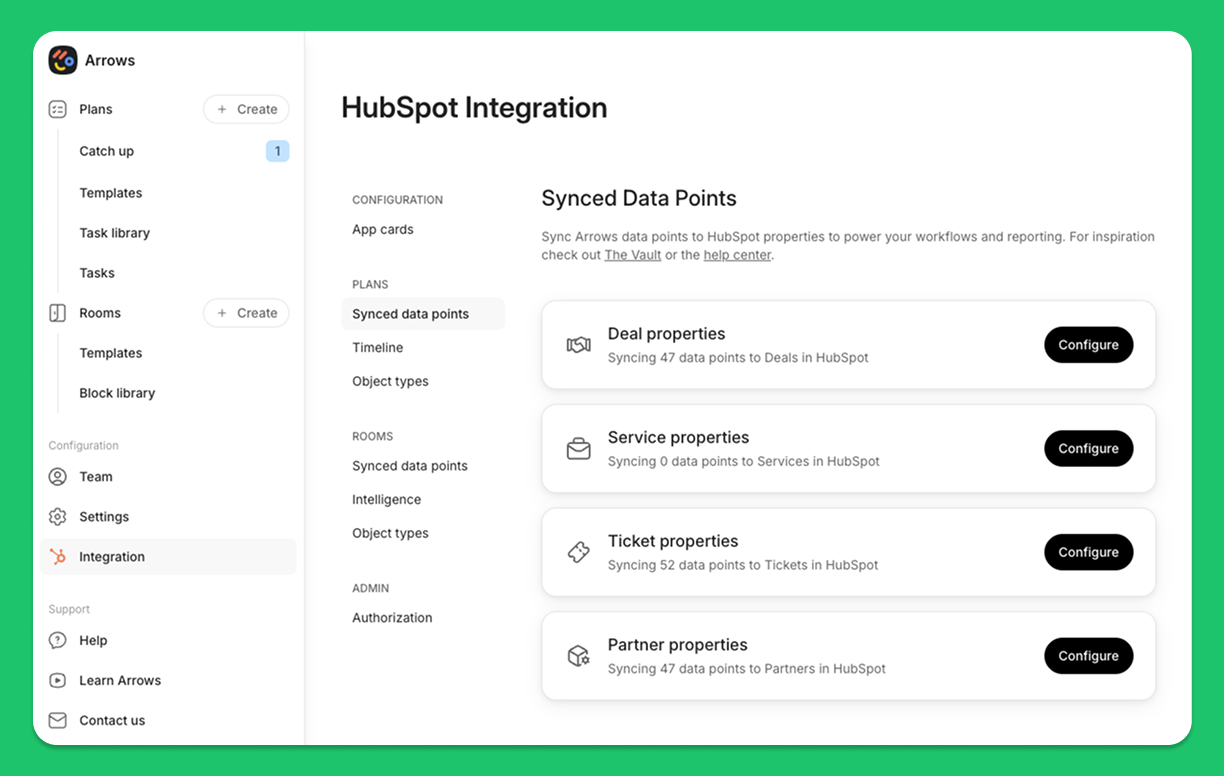
For that object, select the properties you want to sync into Arrows under Synced data points → Configure
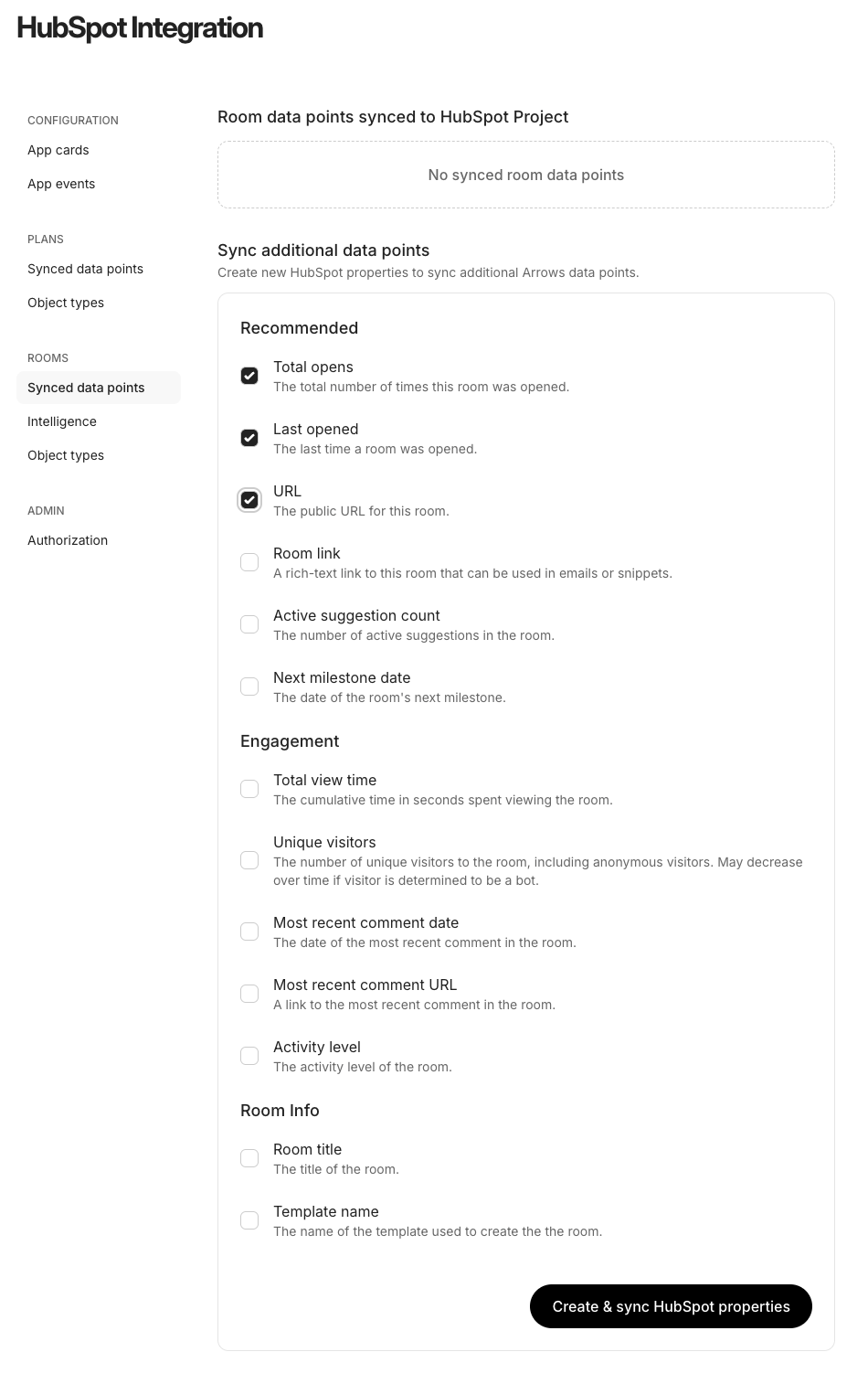
Select the data points to sync and press Create & sync HubSpot properties.
This will create properties in HubSpot on that object type and each room will then pass information to the properties respectively (these can then be used for reports, automations, workflows, and anything else you use properties in HubSpot for!)
You can edit these settings at any time.
From there, it’s easy to plug sales rooms into your existing pipelines, reporting, and workflows for all these object types.