
How to change the owner of a sales room
You can reassign a sales room owner manually from within Arrows or directly from HubSpot. Here's how.
By default, when a sales room is created and connected to a HubSpot deal, Arrows will assign the deal owner as the room owner. But you can easily reassign the owner manually—either from within Arrows or directly from HubSpot.
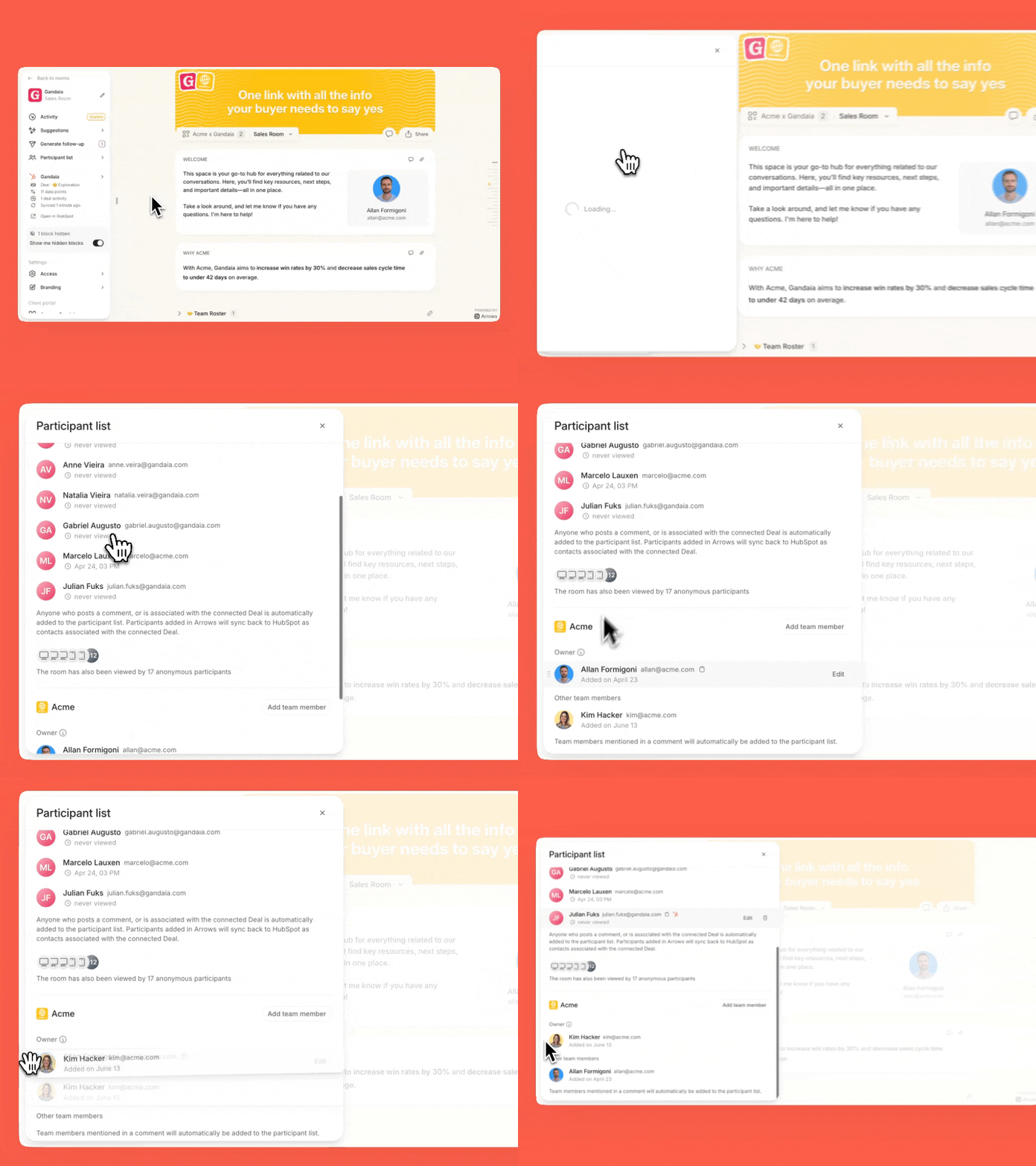
Change the owner from Arrows
Open the sales room
Click the Participant list tab
Use the Add team member button to add the new owner
Drag the new owner over the current one—the role will automatically update
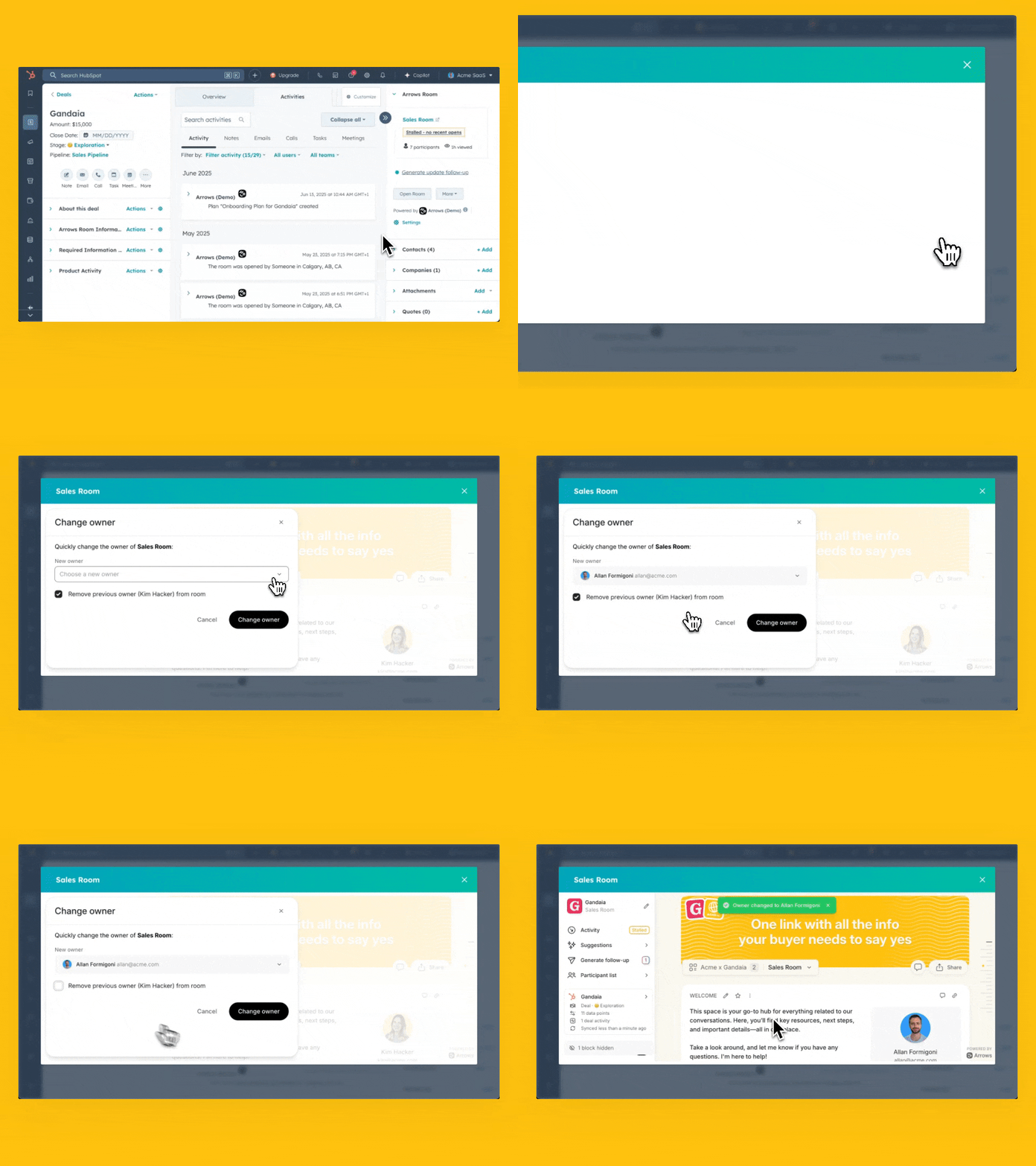
Change the owner from HubSpot
Open the HubSpot deal
Navigate to the Arrows sales room app card
Click More → Change owner
Select the new owner from the Change owner tab on Arrows
Decide whether to keep or remove the previous owner
NOTE:
Changing the deal owner in HubSpot will not change the Arrows sales room owner.
Changing the room owner in Arrows will not update the HubSpot deal owner.