Connecting Arrows to Gong
Your Gong call recordings can be used as sources to power your sales room AI and agent features.
The context from those calls can automatically be used to generate and update the content you share with your buyers!
Connecting Arrows to Gong
Note: You must be an Arrows admin to configure this connection.
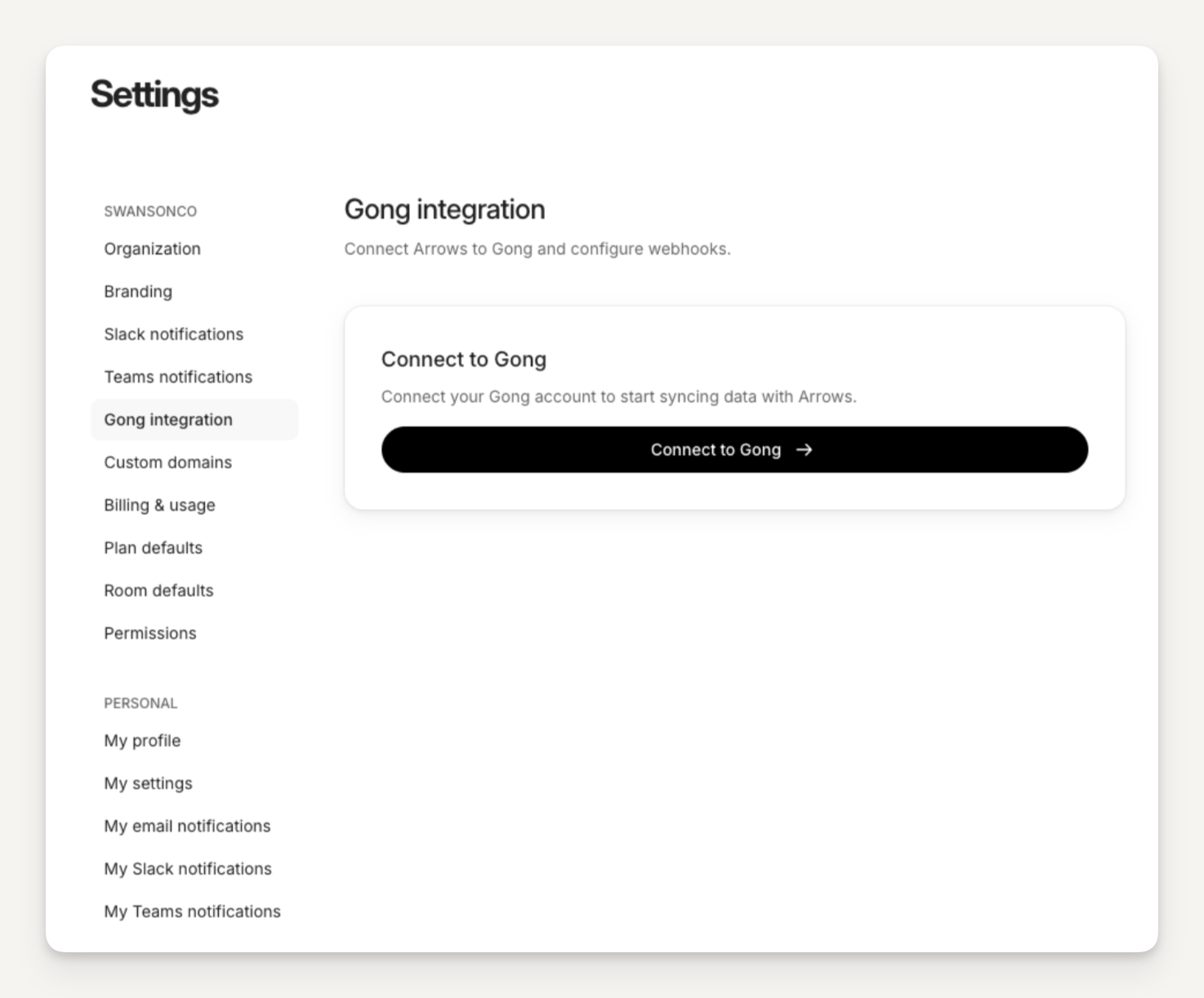
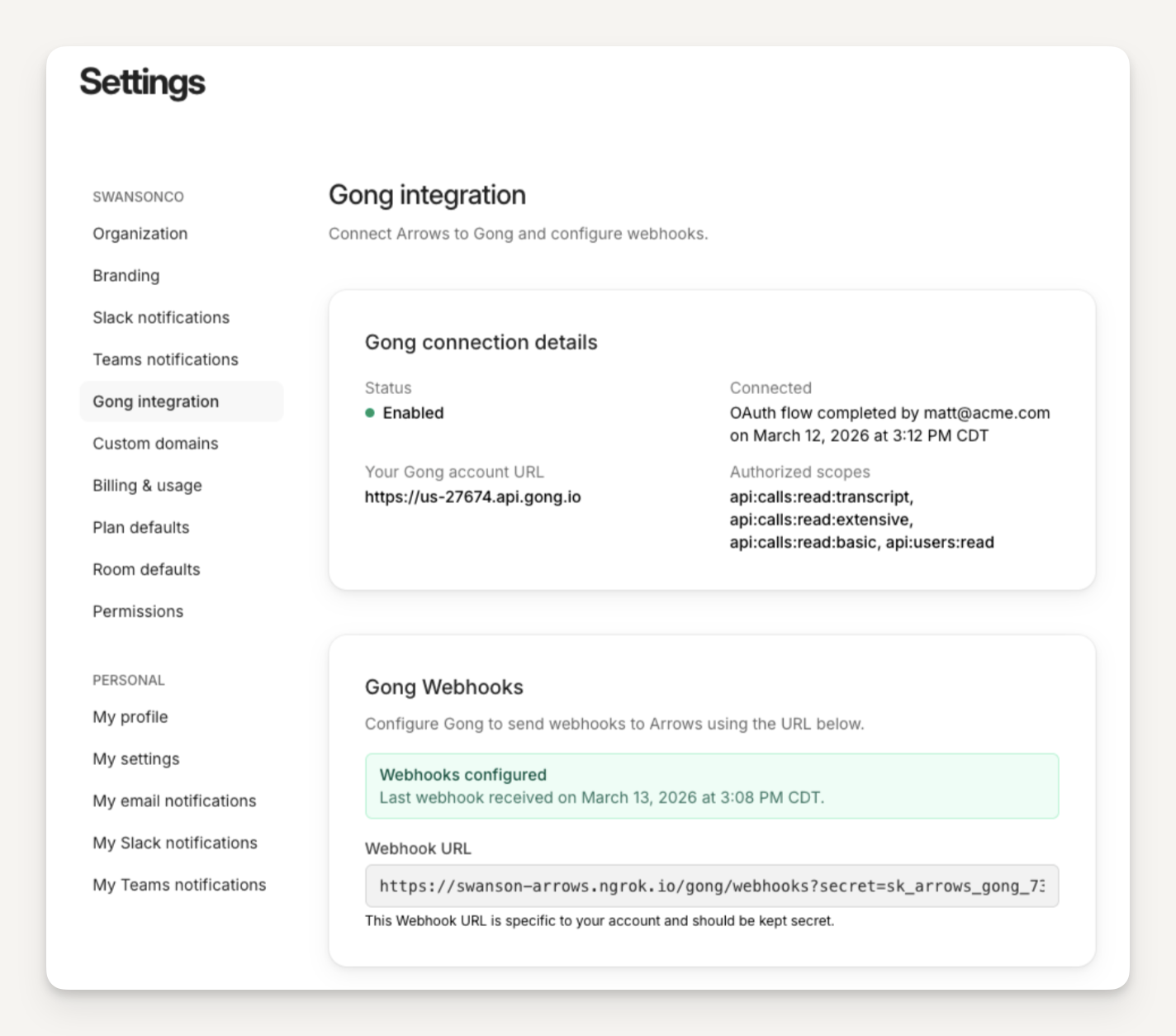
To connect Arrows to Gong, from your Arrows dashboard...
select Settings
selection Gong integration
press Connect to Gong
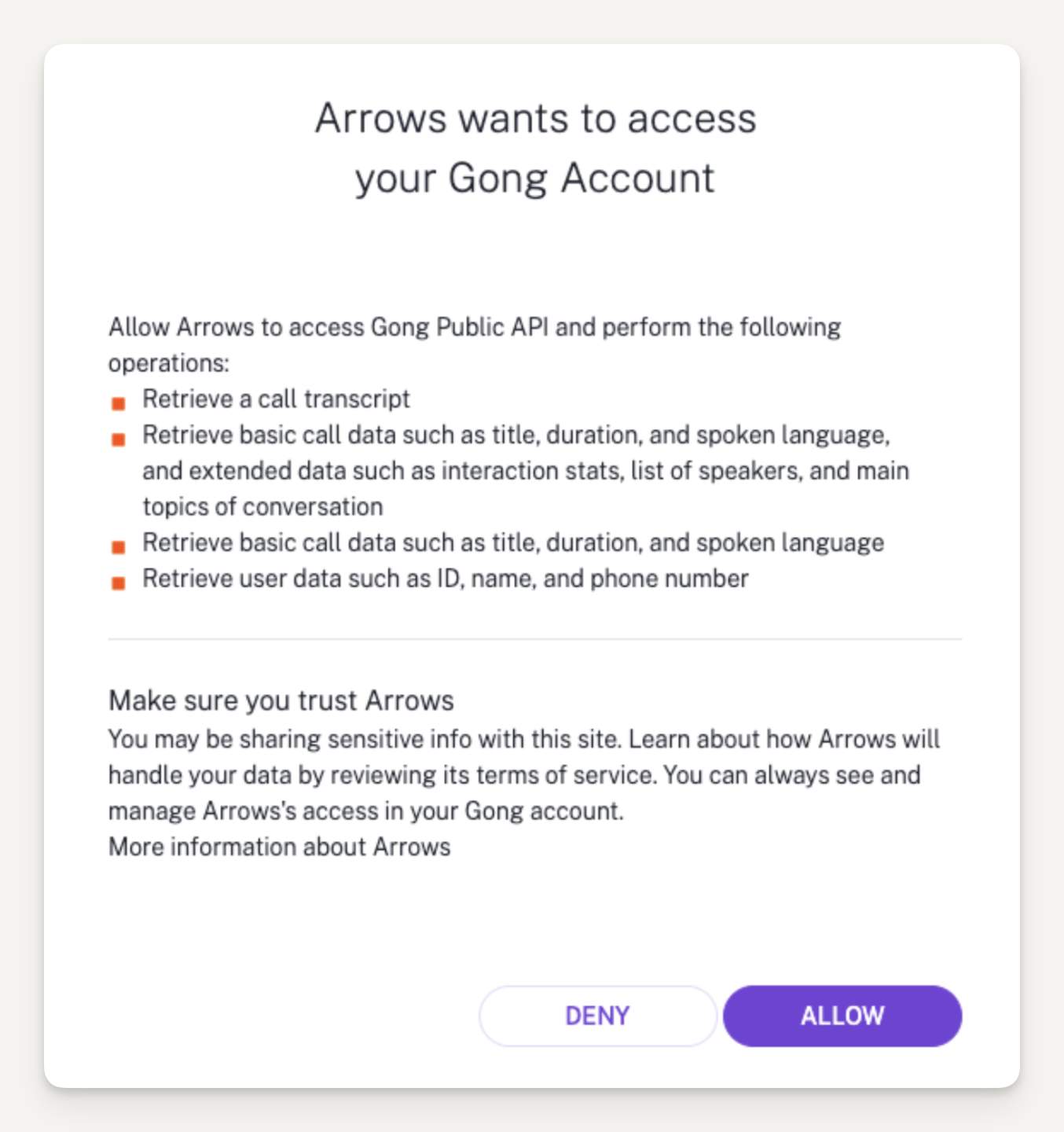
Click "Allow" on the Gong authorization screen
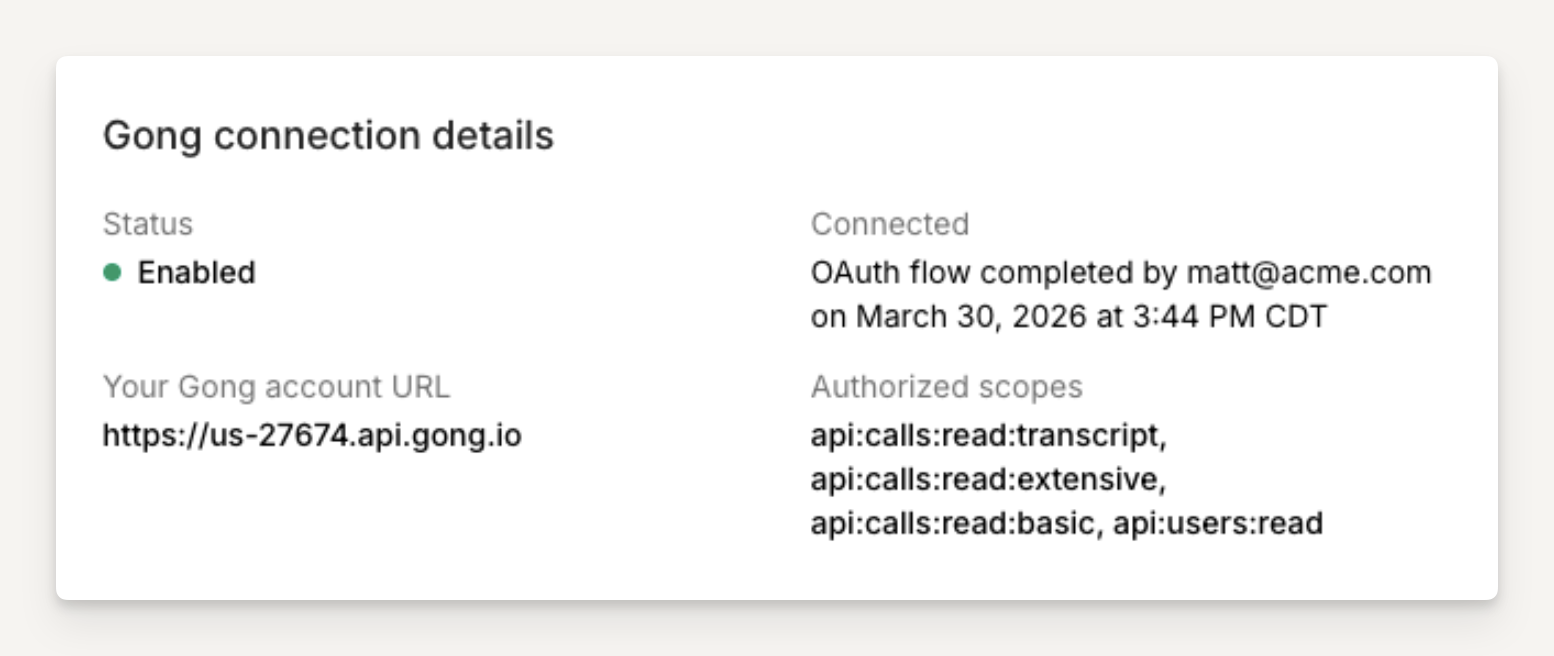
You should be redirected back to Arrows and see that your Gong connection is “Enabled”
Setting up a Gong webhook
Next we need to setup a webhook in Gong so that new calls in Gong will be sent to Arrows. Find the “Gong Webhooks” section and follow the instructions to create the webhook in Gong.
Start by copying the Webhook URL in Arrows - this is specific to your account and should be kept secret.
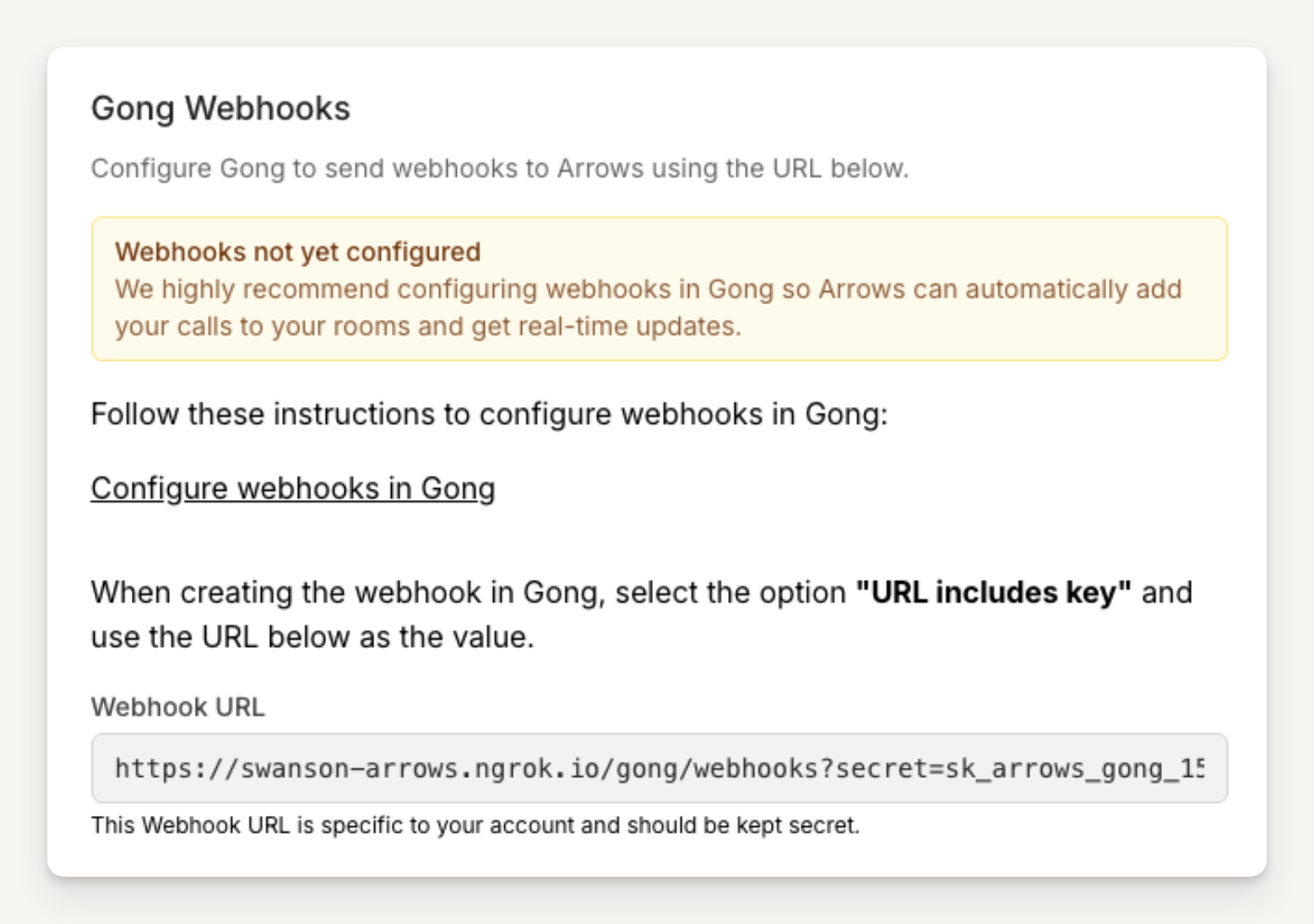
Log into your Gong account head to the Admin Center and under Automation Rules select Add rule
Paste in the Arrows Webhook URL and make sure the “URL includes key” option is selected
We recommend entering “Arrows integration” as the Rule name.
Make sure the rule is set to “Enabled”
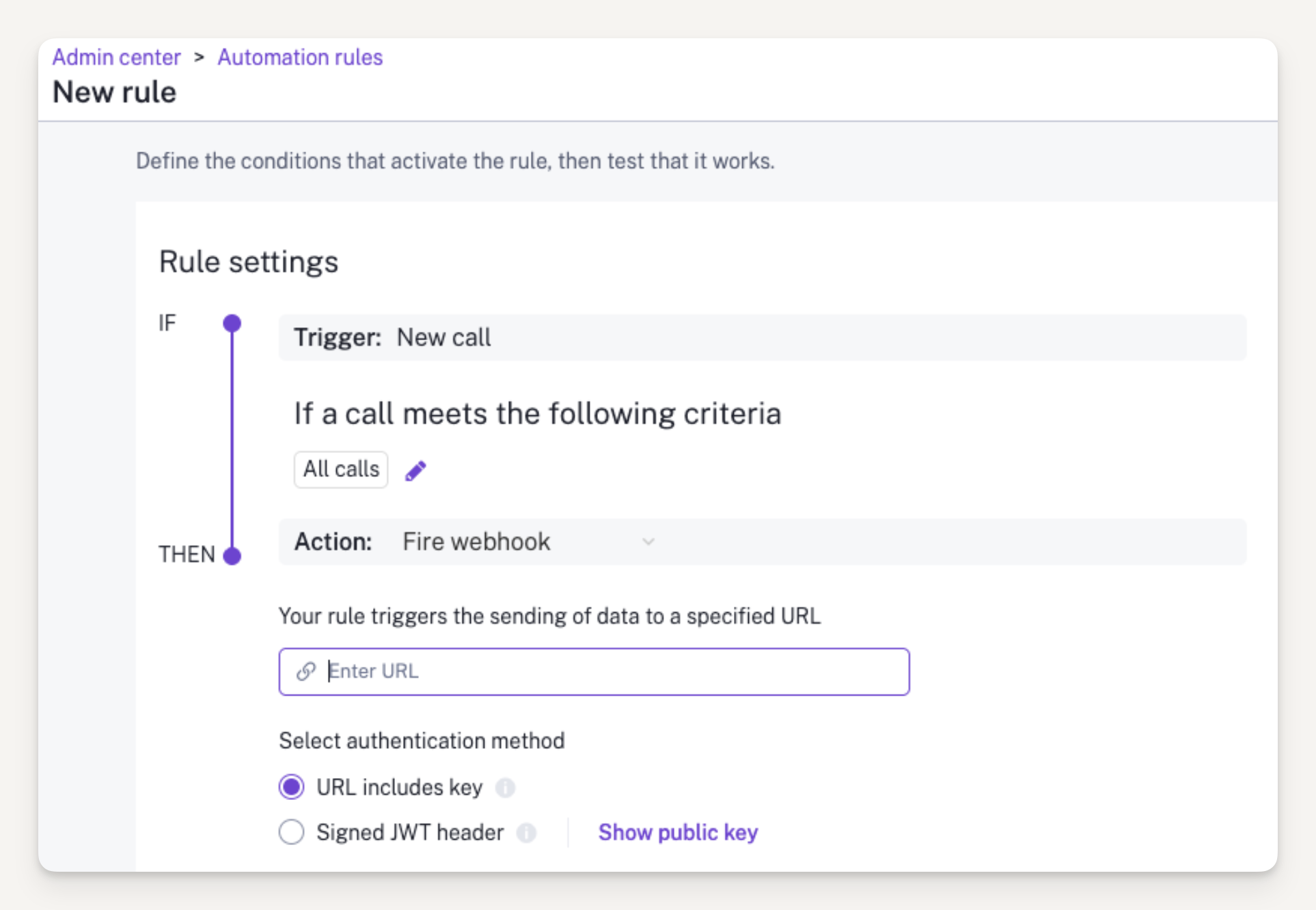
You may use the “Test rule > Test now” button in Gong to send a test call to verify the integration is working (this will not create a room)
Click Save in Gong
Return to Arrows > Settings > Gong and verify that the Gong webhooks shows a green “Webhooks configured” success message
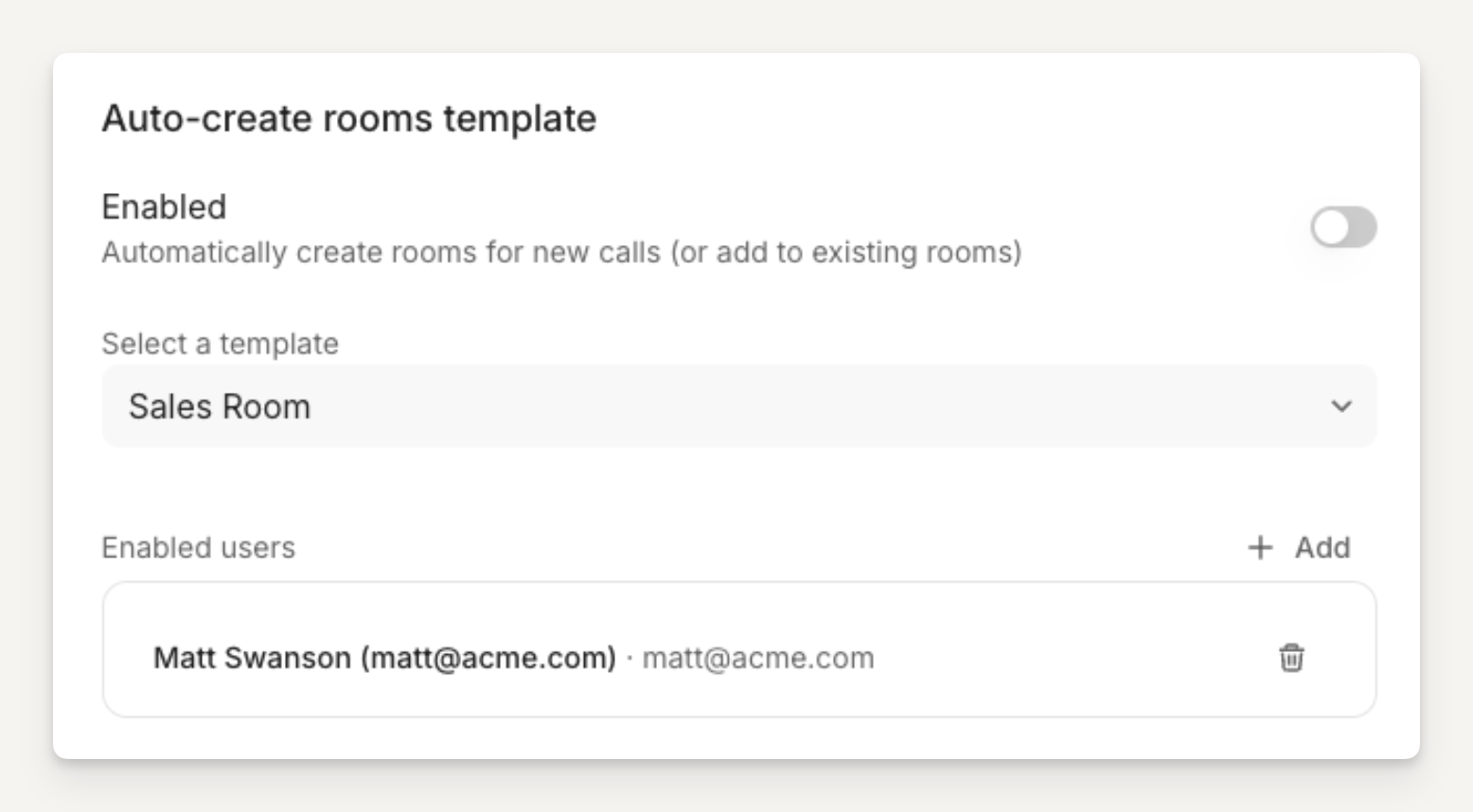
Configure automatic room creation for Gong calls
Enable rooms to be automatically created from Gong
Select an Arrows room template to use when creating Rooms (required)
Select which Arrows users the Gong integration is enabled for: the integration will only create room for Gong calls where the host email matches the Arrows user email in this list
Setup is completed.